 Best seller
Privapixel
Viral clips and 14 image and video tools with local AI — all on your PC, without sending files to the cloud.
Current version: V. 1.7.8.0 · Updated August 23, 2026
Best seller
Viral clips and 14 image and video tools with local AI — all on your PC, without sending files to the cloud.
Current version: V. 1.7.8.0 · Updated August 23, 2026
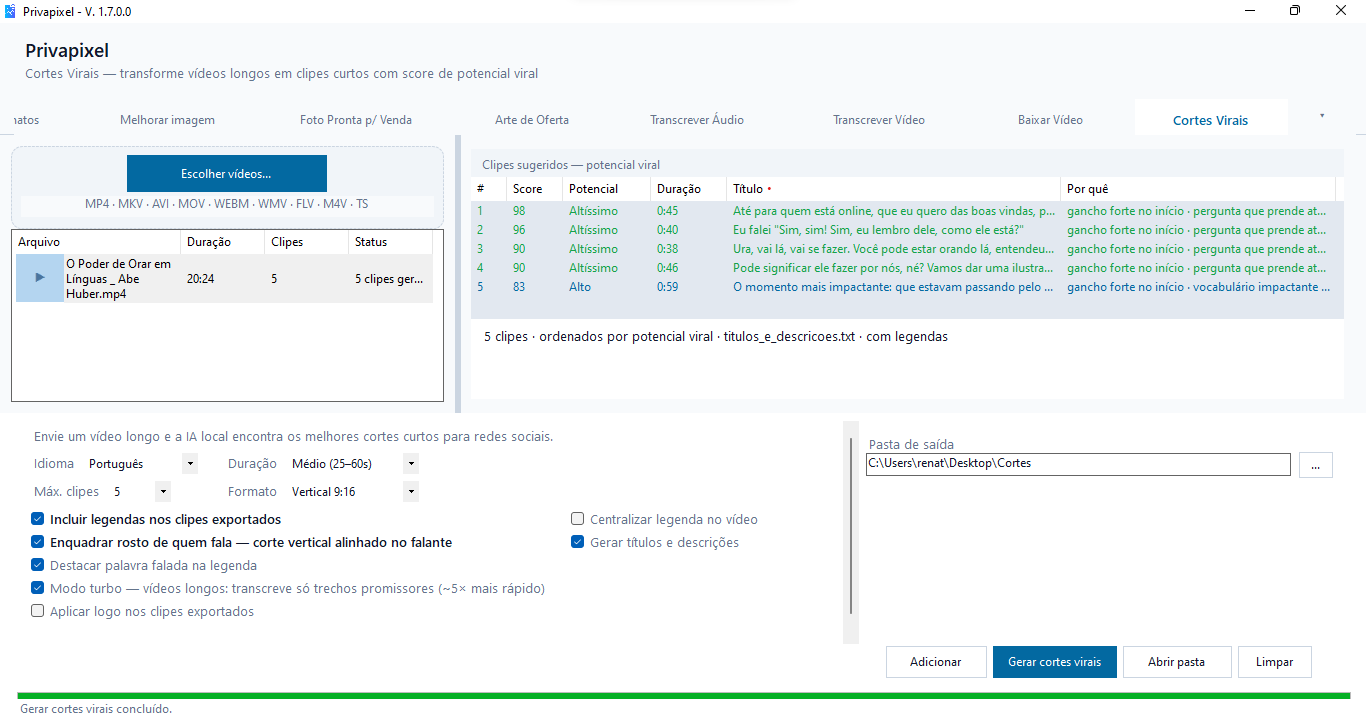
Send a long video and local AI finds the best moments, generates short clips in vertical (9:16), horizontal (16:9), or the original format, with viral potential scoring, synced subtitles (font and size you choose), word-by-word highlight, automatic framing on the speaker's face, split screen for two presenters, beep on swear words, and an option to apply your logo on exported clips with adjustable size — ready for Reels, TikTok, and Shorts.
Last updated: August 14, 2026.
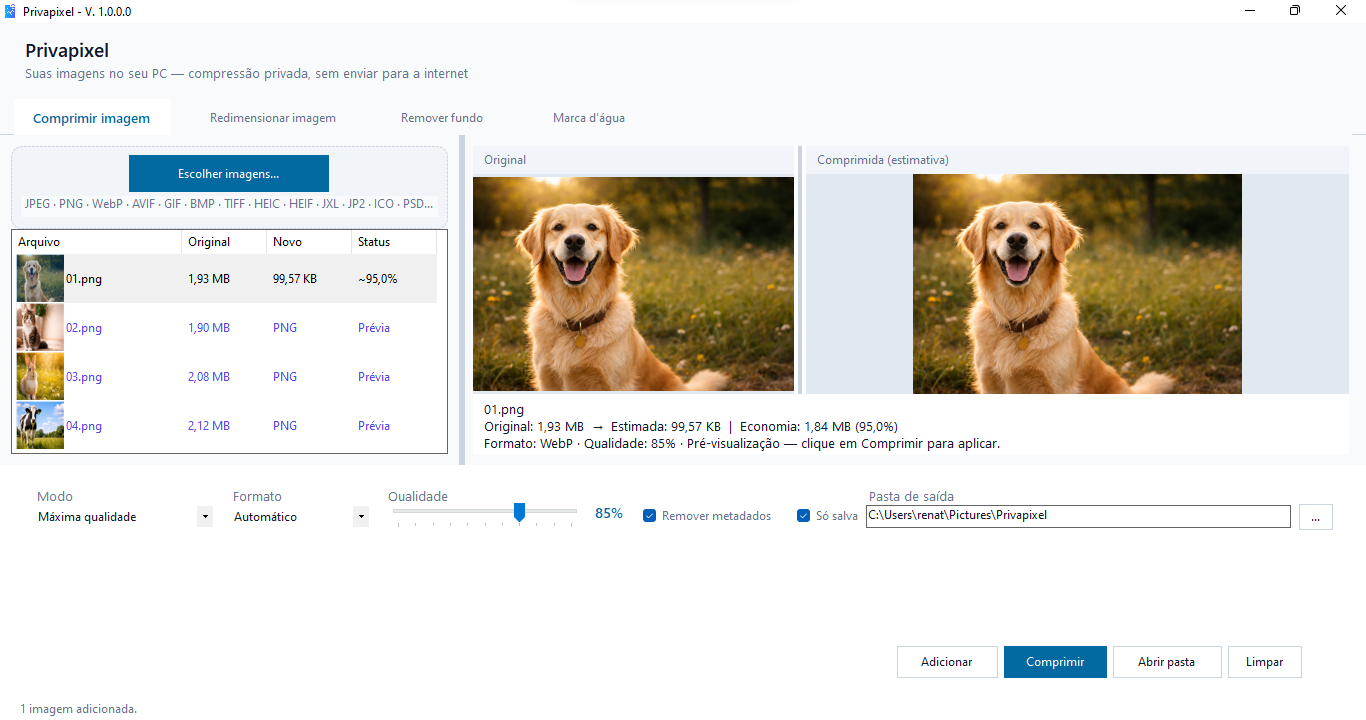
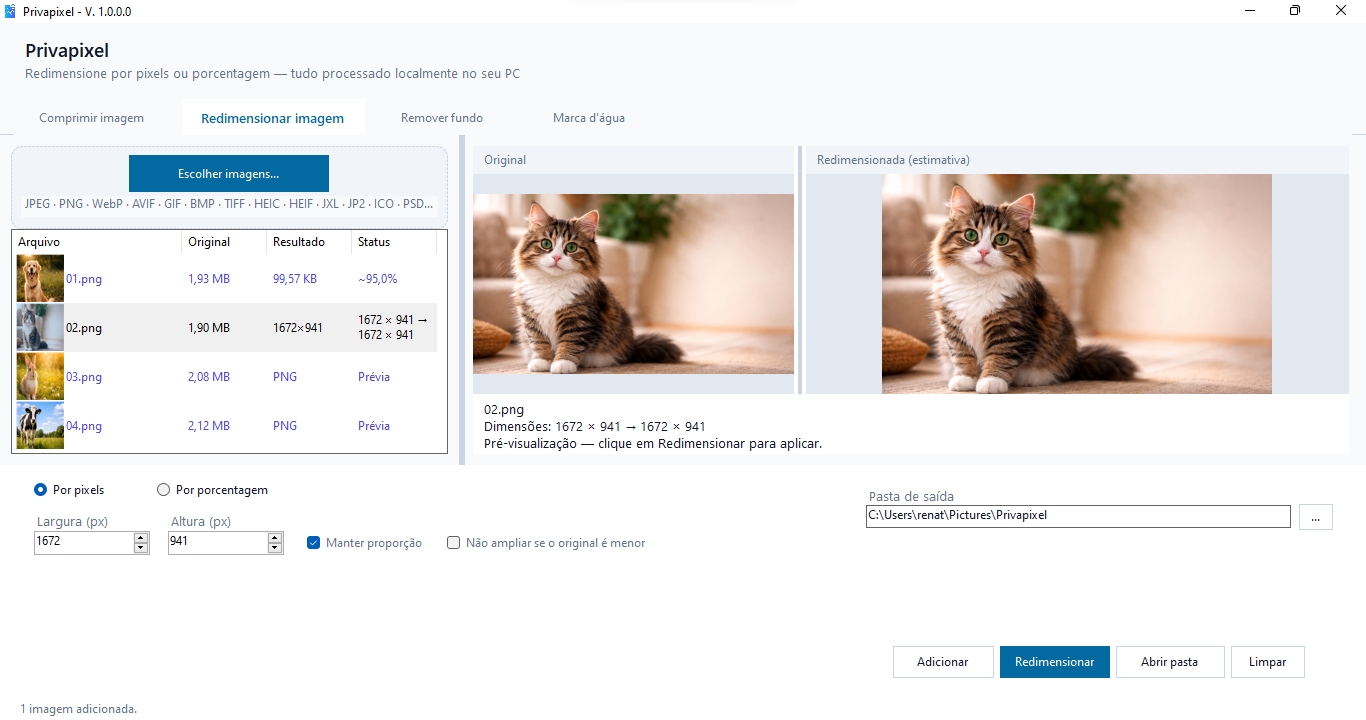
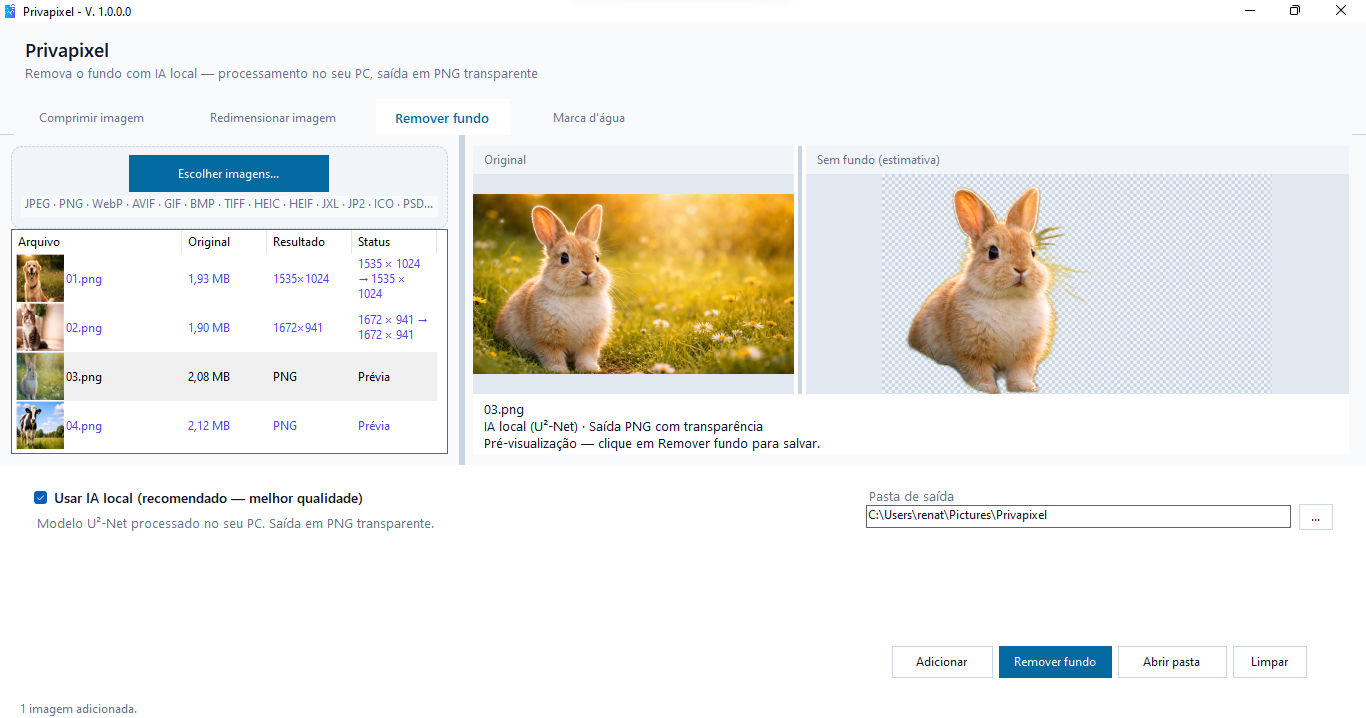
Privapixel is batch image editing, audio transcription, video compression and download, and Viral Clips software built for sellers, resellers, content creators, and anyone who sells online. Beyond compressing, resizing, removing backgrounds, enhancing quality, rounding corners, converting formats, applying watermarks, preparing marketplace photos, creating promotional art, turning audio and video into text, exporting .SRT subtitles, downloading videos by link, and compressing videos with constant quality, it now also turns long videos into short clips with intelligent speaker framing and optional logo on exported clips — all with local processing on your computer, without relying on ad-filled websites and with no files sent to the cloud.
Last updated: August 23, 2026.
Direct the cuts
🎯 You steer the crop
In Viral Clips, check Direct the cuts. A prompt field opens right away — write the kind of moment that matters for that video.
✍️ Examples that work
“Cut on the goals and celebrations.” “Take the strongest interview questions.” “Prioritize the prayer and the altar call.” The AI searches those stretches in the transcript and ranks them higher.
📋 How the list looks
Clips that match your request appear first. If there is not enough of that theme, Privapixel fills with the other highest viral-score cuts — you still get clips.
⚙️ Optional
With the box unchecked, Viral Clips stay the same: the AI picks the best moments on its own. Check it only when you want to guide the result.
Last updated: August 14, 2026.
Split screen — presenters
📺 Two on screen, stable
In podcasts and interviews, Privapixel analyzes frames and stacks both presenters in the vertical clip: one on top, a bar in the middle, the other below — the frame does not bounce from one to the other.
🎯 When to use it
Enable the option with Vertical 9:16. If only one person is visible in a stretch, the app goes back to framing whoever is speaking.
Larger logo
🏷️ Brand at the right size
With Apply logo on exported clips checked, use the size slider so the logo stays readable on Reels, TikTok, or Shorts — without reopening each clip in an editor.
📍 With position and opacity
You can still pick the corner and transparency; size is an extra identity control.
Beep on swear words
🔇 Audio and subtitle
When transcription flags a swear word, the audio gets a beep and the word disappears from the caption — useful for safer social clips.
✍️ Extra words
In Extra words you list others that should also beep, separated by commas. It applies only while the app is open — closing the app clears the field.
Subtitle font and size
🔤 Pick the font
Click the Include subtitles on exported clips text to open fonts — Arial Black at size 14 remains the default.
📏 Size from 9 to 16
Set the size in the Windows dialog; the choice is saved for later cuts and stays calibrated for vertical format.
Last updated: July 28, 2026.
Generate new clips
🔄 More clips from the same video
After generating the first batch, check Generate new clips so AI looks for ranges not yet explored — without reusing intervals already exported.
🎯 Less repetition
Ideal for long lives, podcasts, and talks when you want a second or third batch of clips with different viral potential.
Split screen — Teams/Zoom
🖥️ Meetings with several people
Enable the option only for Teams, Zoom, or similar videos with 3 or 4 participants visible in the grid — Privapixel tries to preserve the split layout in the vertical clip.
📱 When to leave it unchecked
For podcasts, interviews, and single-frame videos, leave it unchecked (default) so the crop stays a single vertical rectangle aligned to the speaker.
Minimum 1 minute
⏱️ Clips from 60 seconds
With the option enabled, Viral Clips prioritizes long durations (at least 1 minute), automatically setting the duration preset to Long.
💰 Built for monetization
Useful when the platform requires about 1 minute of video to unlock monetization features or longer formats.
Last updated: June 28, 2026.
Video Light
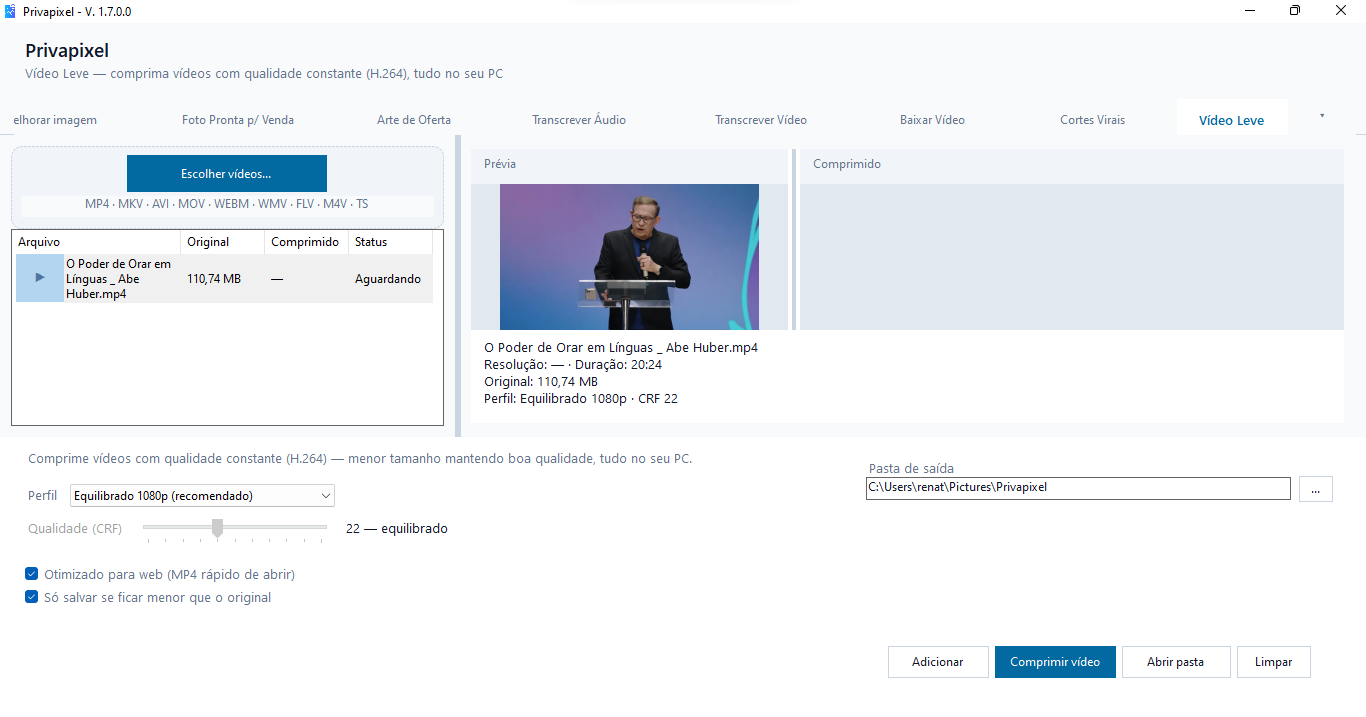
🎬 Batch video compression
Add multiple videos to the queue and compress them all at once — ideal for freeing up space, sending lighter files, or preparing content for websites and social media.
⚙️ Ready-made profiles and custom CRF
Choose from balanced, fast, or high-quality 1080p or 720p profiles, keep the original resolution, or manually adjust quality (CRF) as needed.
🌐 Web optimized and smart saving
Option to optimize playback on the web and save the compressed file only when it ends up smaller than the original — avoiding replacing an already well-compressed video.
💻 100% local
All transcoding runs on your computer with FFmpeg — your videos do not need to be uploaded to external servers.
Isolated crop in Ready for Sale Photo
✂️ Product only, no background
With Isolated crop enabled, Privapixel removes the background with local AI and exports only the cropped product as a transparent PNG.
🛒 Flexible for marketplaces
Uncheck the option to keep using the standard flow with white or premium studio-style JPEG background — or use isolated crop when you need more visual freedom.
👁️ Dedicated preview
Preview follows the selected mode, making it easier to compare isolated crop with the traditional final result before batch processing.
Logo in Viral Clips
🏷️ Brand on exported clips
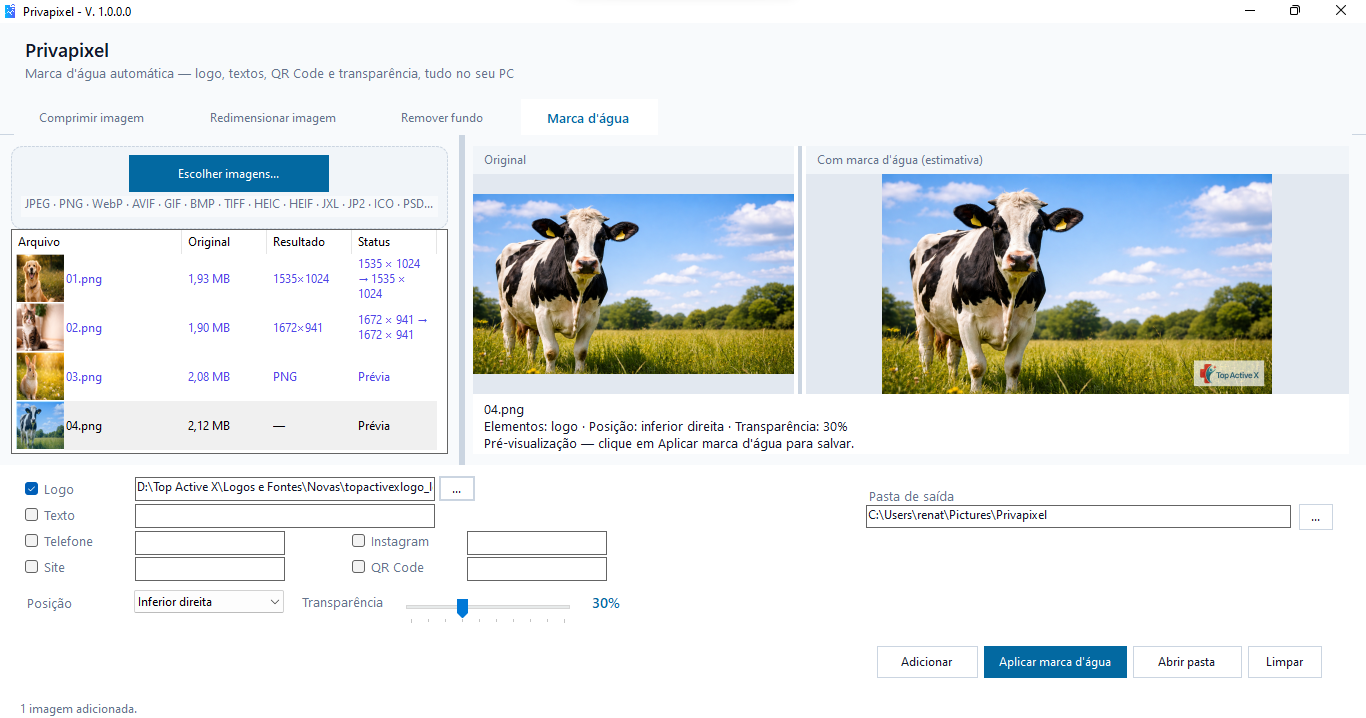
Check Apply logo on exported clips, select your logo image, and it will be applied automatically to each clip generated by Viral Clips.
📍 Position and transparency
Choose which corner the logo appears in and adjust transparency with the slider — without manually editing each clip in CapCut or Premiere.
📱 Ready for social media
Ideal for keeping your brand identity on Reels, TikTok, Shorts, and other platforms while taking advantage of automatic viral clip generation.
Last updated: June 25, 2026.
What was fixed:
🎯 Speaker tracking on stage
Framing no longer stays locked in one position and now follows gradual movement, keeping the active speaker centered in the vertical clip.
🖼️ Static projection protection
Improved logic that distinguishes the live speaker from faces printed on slides or projections, preventing jumps to the screen without blocking natural movement.
📹 Low-resolution video detection
Better frame analysis and tracking when the face disappears for a few moments, with position estimation to avoid losing framing.
⚙️ More robust export
If an individual clip fails during rendering, the others continue to be generated normally, with automatic fallback when needed.
📁 Output folder dialog
When choosing the output folder, the dialog opens centered relative to the main window and no longer shifts the form when canceled.
Last updated: June 17, 2026.
What was implemented:
🎯 Camera that follows the speaker
In vertical 9:16 clips, framing is no longer a fixed center crop — it automatically follows whoever is speaking at each moment.
🧠 Local AI face detection
The system analyzes video frames, locates faces, tracks each participant in the scene, and organizes speakers by position (left, right, etc.).
🗣️ Active speaker identification
Combines Whisper transcription, mouth movement, and speech segments to decide who is speaking — with smooth switching when the conversation changes participants.
📱 Ready for Reels, TikTok, and Shorts
The clip starts framed on the right speaker, avoids focusing on the table or the wrong participant, and delivers a professional-looking result for social media.
💻 100% local
All visual analysis runs on your PC — your video does not need to be uploaded to external servers for speaker framing.
Last updated: June 16, 2026.
What was implemented:
🎬 Long video → short clips
Upload podcasts, lessons, live streams, interviews, or any long video — Privapixel analyzes the content and suggests the best cuts for social media.
🔥 Viral potential score
Each clip gets a viral potential score and appears ranked from most to least promising — you choose which ones to export.
📱 Export formats
Export in Vertical 9:16 (Reels, TikTok, Shorts), Horizontal 16:9, or keep the original video format.
📝 Synced subtitles
Generate burned-in subtitles on exported clips, with real word-level timestamps via local Whisper — ready to publish without manual editing.
✨ Word-by-word highlight
Option to highlight the spoken word in the caption in real time (karaoke style), one phrase at a time — ideal for holding attention in the first seconds.
⚙️ Full control
Choose language (Portuguese, Auto, English, Spanish), clip duration (short, medium, or long), maximum count (5 to 12 clips), and enable turbo mode for long videos (~5× faster).
💻 100% local
All analysis, transcription, and export runs on your PC — no uploading videos to external servers.
Last updated: June 11, 2026.
What was implemented:
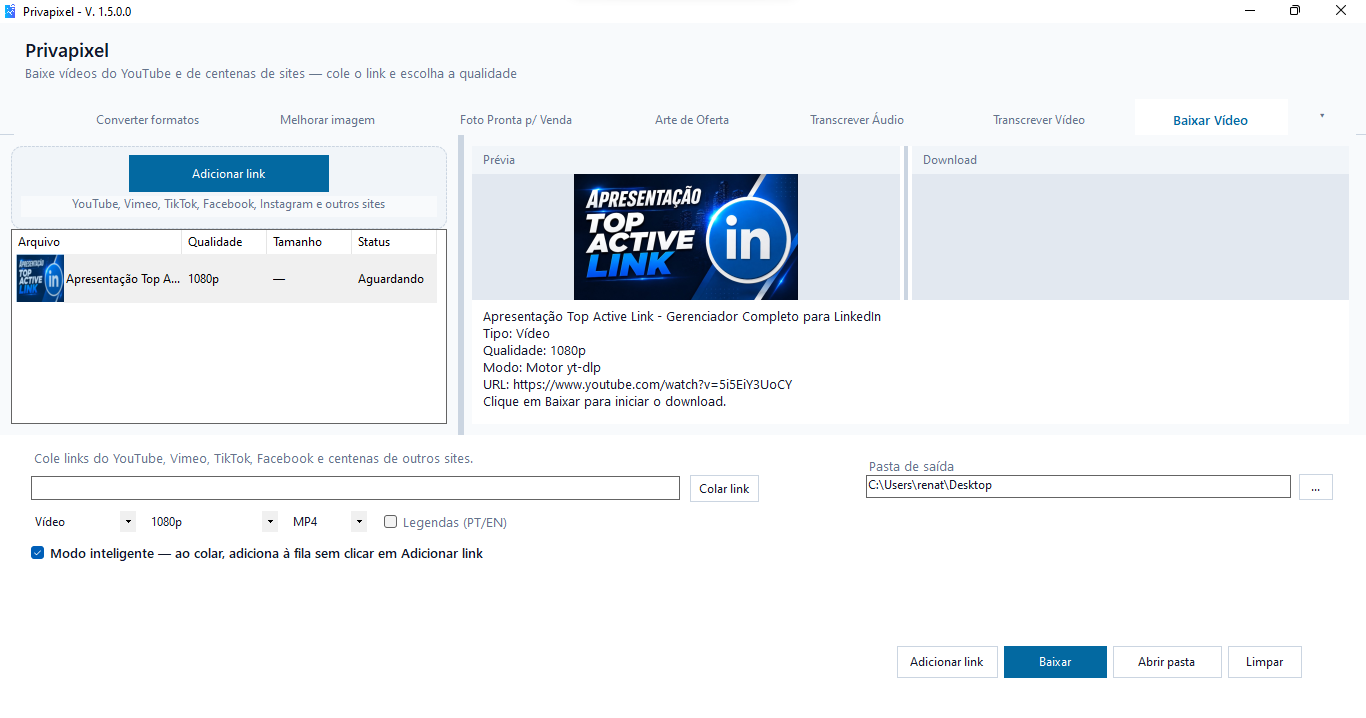
🔗 Download by link
Paste the video link — Privapixel analyzes it, adds it to the queue, and downloads it straight to your PC.
💻 Local processing
Everything runs on your computer — without relying on ad-filled websites and without uploading files to external servers.
🎬 Quality and format
Choose the desired quality (up to 4K) and export as MP4, MKV, or WebM, or extract audio only as MP3, M4A, or OGG.
⚡ Smart mode
When you paste a link, the video is added to the queue automatically — just paste and download.
📊 Queue with progress
Track each download status in real time, with thumbnail, quality, and file size.
Last updated: June 6, 2026.
What was implemented:
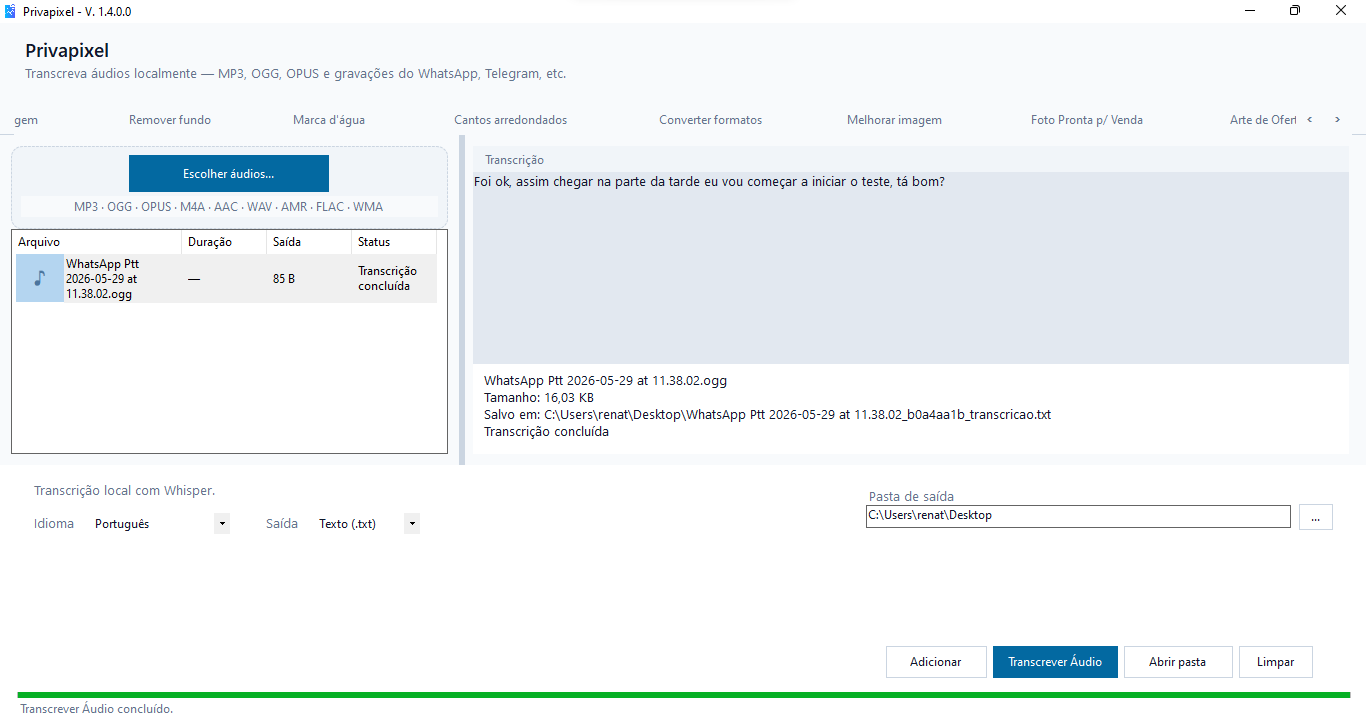
Transcribe Audio
🎙️ Everyday audio
Support for MP3, OGG, OPUS, M4A, AAC, WAV, AMR, FLAC, and WMA — including audio exported from WhatsApp and Telegram.
🤖 Local Whisper
Speech recognition with AI on your PC; the model downloads once (~142 MB) and is ready for offline use.
🌍 Languages
Portuguese, automatic detection, English, and Spanish — choose before transcribing.
📄 Text or subtitles
Export .txt for reading, archiving, and quick copy, or .SRT with timestamps for use as captions.
👁️ Transcription preview
View transcribed text on screen before and after saving to the output folder.
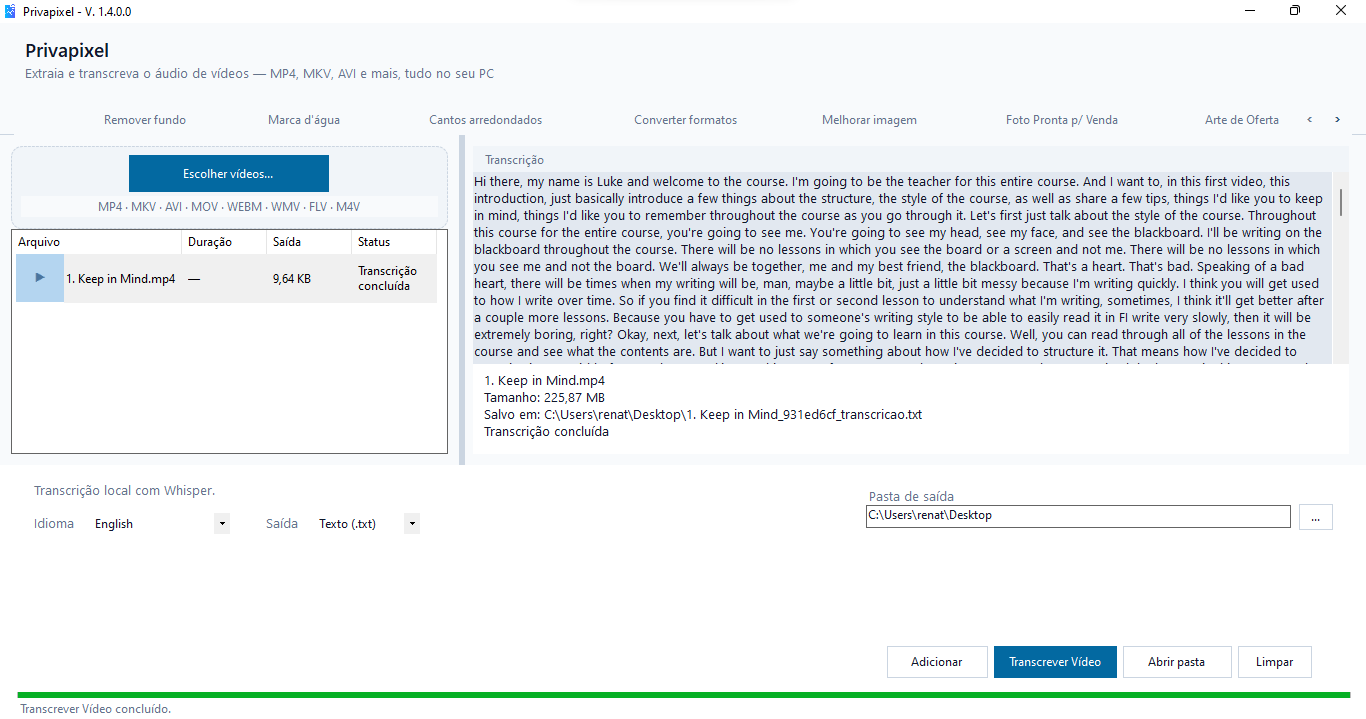
Transcribe Video
🎬 Popular video formats
MP4, MKV, AVI, MOV, WEBM, WMV, FLV, and M4V — the app extracts audio and transcribes locally.
📝 Ready .SRT subtitles
Generate standard subtitle files with start and end time for each line — import into CapCut, Premiere, DaVinci Resolve, and other editors without typing manually.
📱 Built for creators
Speed up content production for online courses, training, and internal materials with automatic captions.
📋 Batch processing
Transcribe multiple audio or video files at once using the same queue as other tools.
🔒 100% local
Your audio and video are not uploaded to cloud servers — total privacy on your PC.
Last updated: June 5, 2026.
What was implemented:
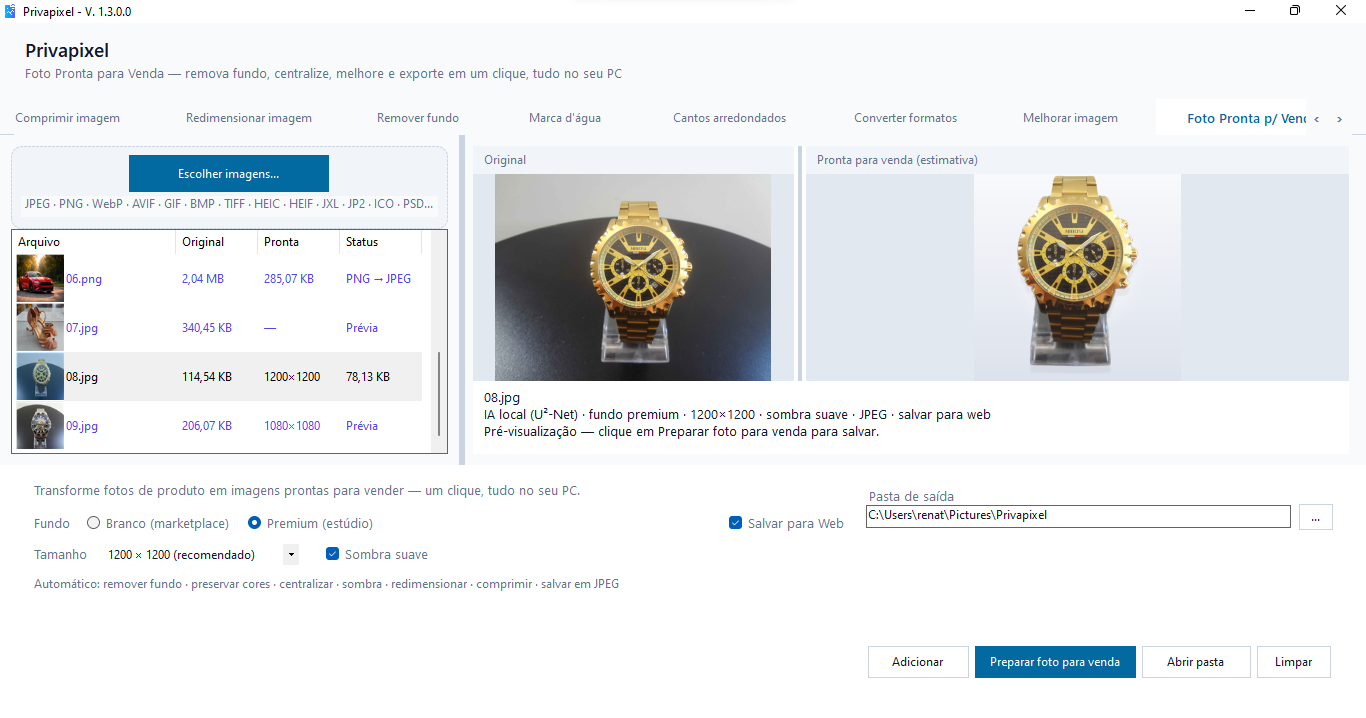
Ready for Sale Photo
🛒 Marketplace-ready
Ideal for Mercado Livre, Shopee, catalogs, and online stores — clean photo, product in focus, and professional look.
🤖 Local AI (U²-Net)
Background removal on your PC, with no images uploaded to external servers.
🎨 White or premium background
Choose neutral white for marketplaces or a premium studio-style background for a more sophisticated look.
🌓 Soft shadow
Optional gentle shadow under the product for depth and a studio-photo feel.
📐 Preset sizes
1000×1000 (Mercado Livre), 1200×1200 (recommended), 1600×1600 (high quality), and 2000×2000 (premium).
👁️ Real-time preview
Compare the original photo with the estimated result before generating.
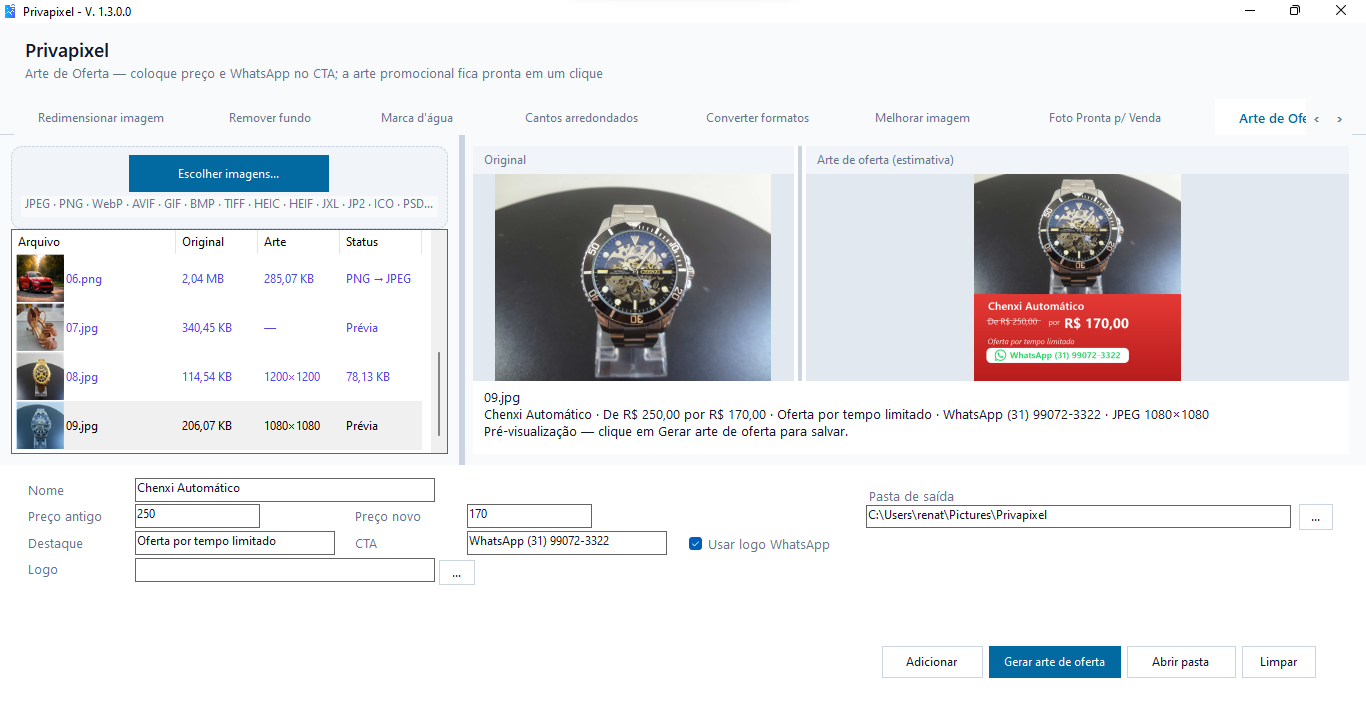
Offer Art
📣 Complete promotional art
Product photo highlighted at the top and a red band with name, prices, highlight, and call-to-action button at the bottom.
💰 Old and new price
Shows the previous price struck through and the promotional price in highlight — ideal for sales posts.
📱 WhatsApp CTA
White rounded button with green WhatsApp text; optional official WhatsApp icon before the word WhatsApp.
🏷️ Highlight and logo
Customizable highlight line (e.g. Limited-time offer) and optional store logo in the corner of the art.
👁️ Instant preview
See the estimated art while filling in the fields — perfect for adjusting copy before batch generation.
📋 Batch processing
Generate art for dozens of products at once using the same queue as other tools.
Last updated: June 4, 2026.
What was implemented:
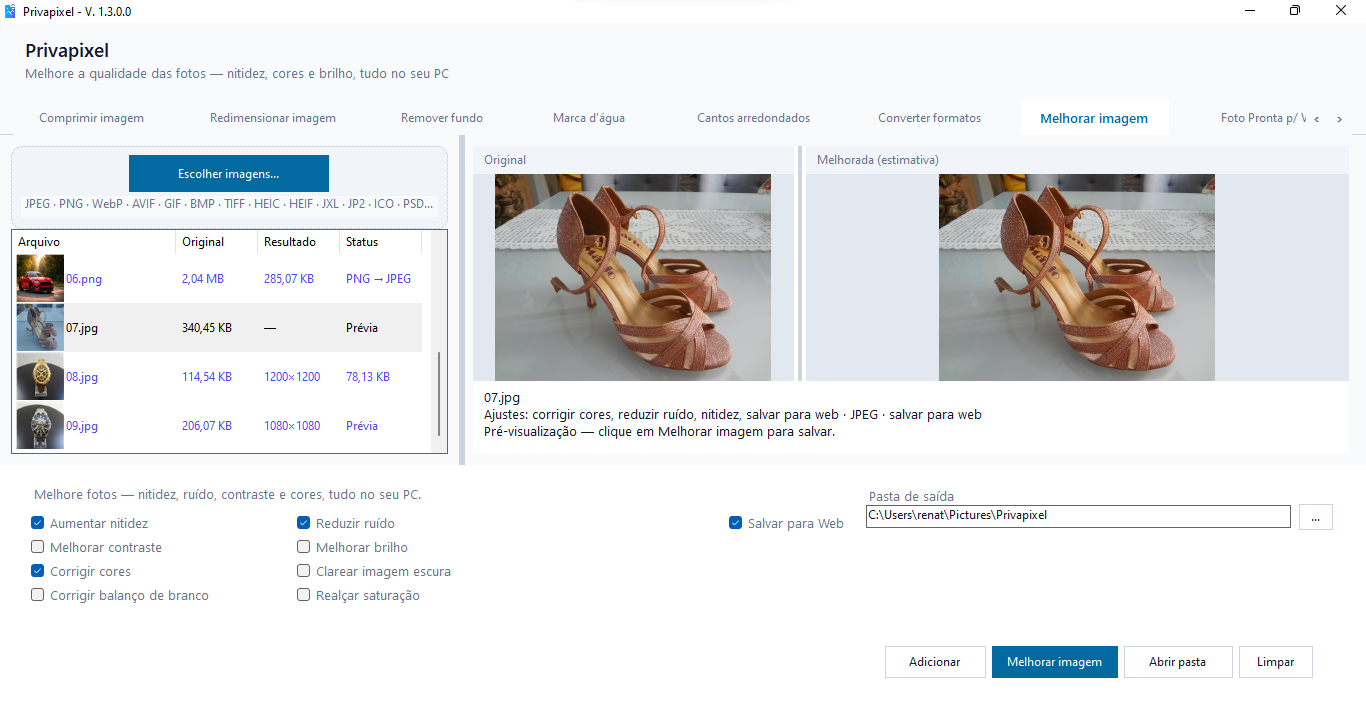
Enhance image
✨ Combinable adjustments
Select one or more options: sharpness, noise reduction, contrast, brightness, color correction, and brightening dark photos.
👁️ Real-time preview
Compare the original and estimated result side by side when you select each image in the queue.
📋 Batch processing
Apply the same enhancements to dozens or hundreds of photos with one click — ideal for phone photos, catalogs, and social media.
🔒 100% local
All image processing runs on your PC with no upload to external servers.
Released: June 1, 2026.
What was implemented:
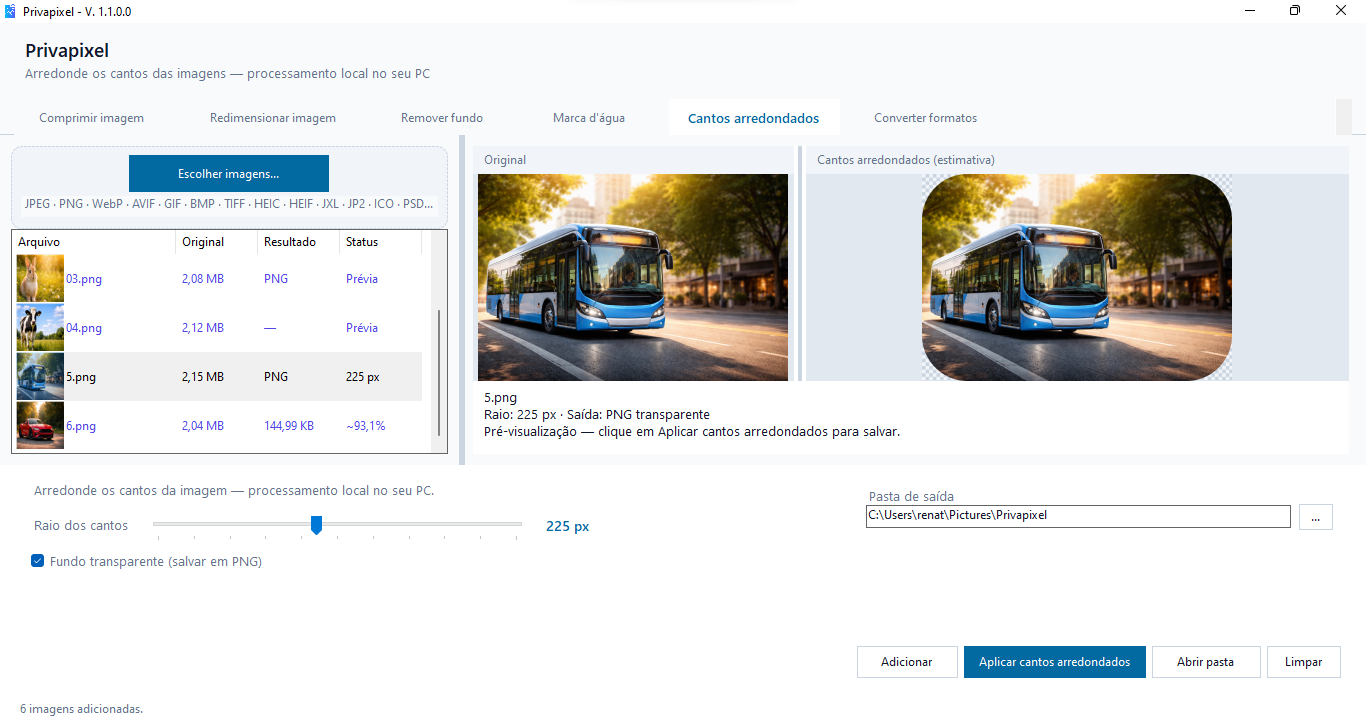
Rounded corners
🔲 Corner radius
Slider from 0% to 50% to set rounding, with pixel value shown alongside and live preview.
🖼️ Transparent background (PNG)
Checkbox to export with transparency in the corners; preview uses a checkerboard when transparent areas are present.
📋 Batch processing
Use the same queue as other tools: apply rounded corners to dozens or hundreds of images at once.
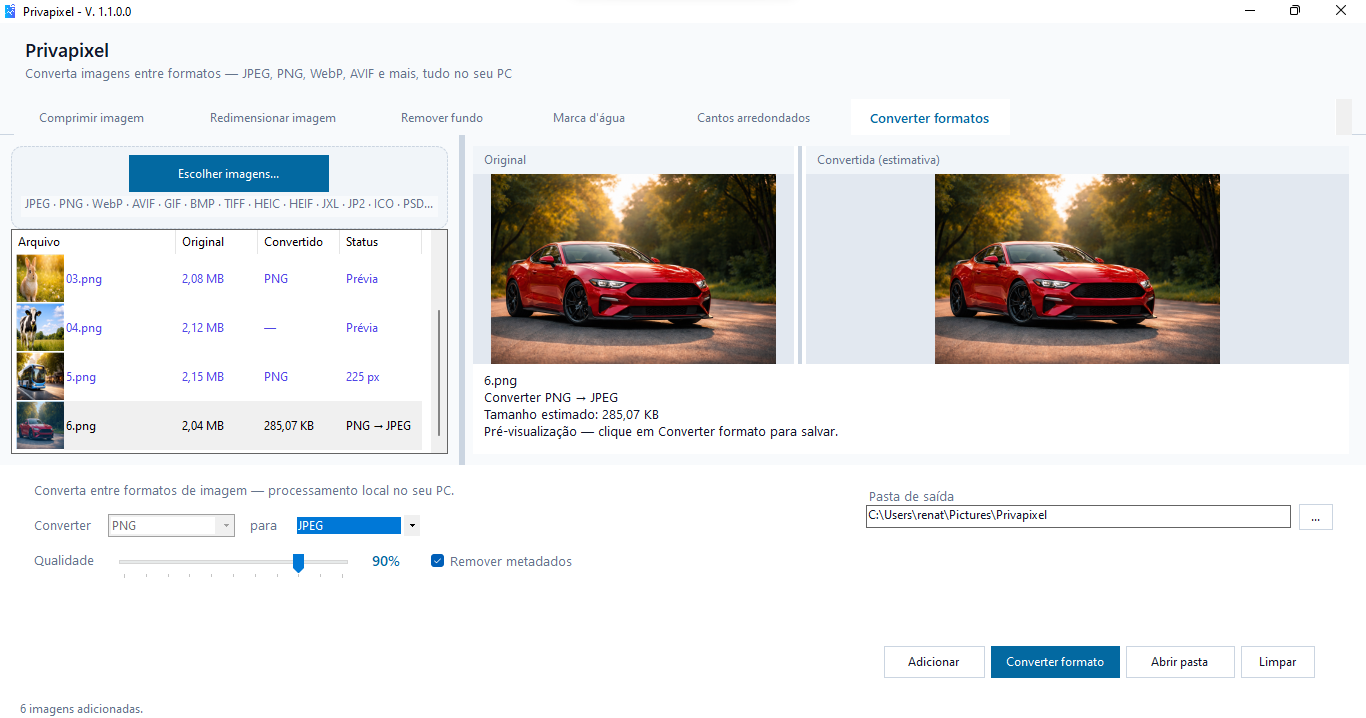
Convert formats
🔄 Smart conversion
Source format is detected automatically from the selected image; choose the target format and process in batch.
⚙️ Quality and metadata
Quality control for compressed formats (e.g. JPEG and WebP) and option to strip EXIF metadata on export.
📁 Broad compatibility
Support for many popular formats — all processed locally on your PC.
Released: May 29, 2026.