 Best seller
Top Active Whats
WhatsApp automation with AI — campaigns, GPT chatbot, CRM and billing.
Windows V. 4.3.0.0 · April 29, 2026 · Android V. 1.2
Best seller
WhatsApp automation with AI — campaigns, GPT chatbot, CRM and billing.
Windows V. 4.3.0.0 · April 29, 2026 · Android V. 1.2
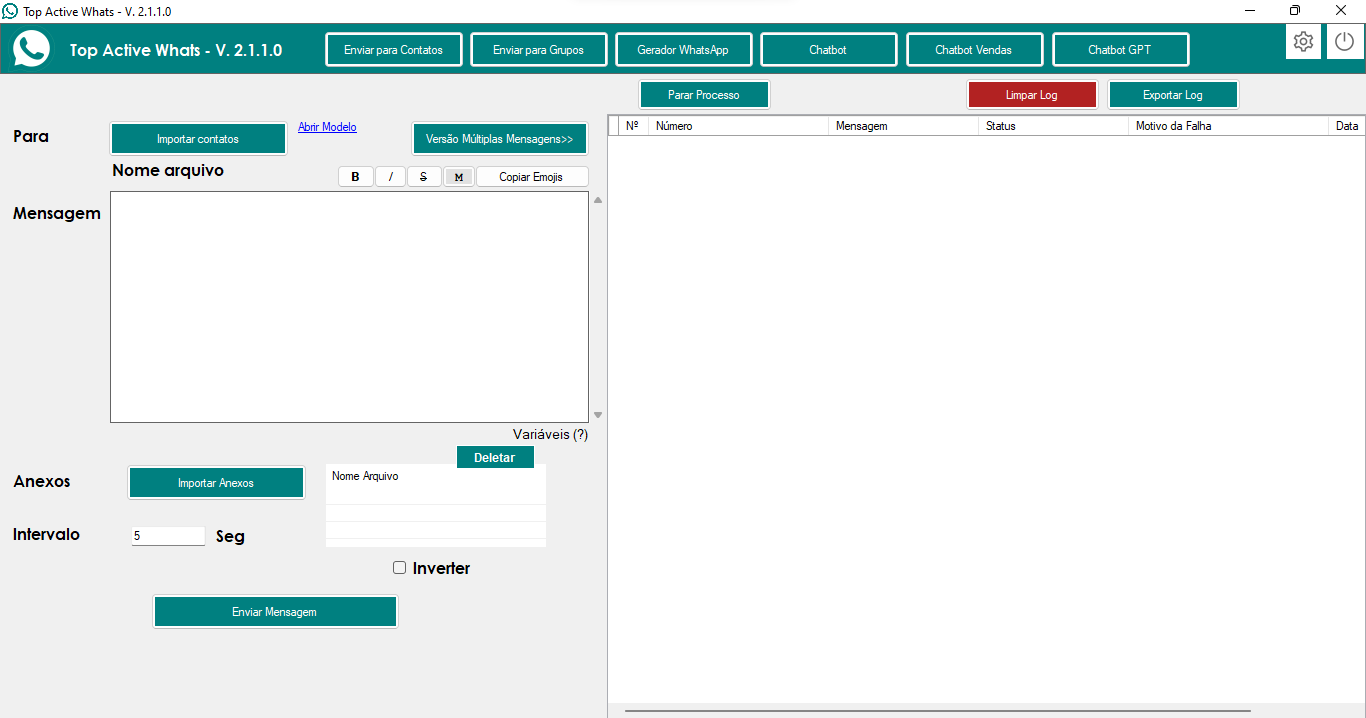
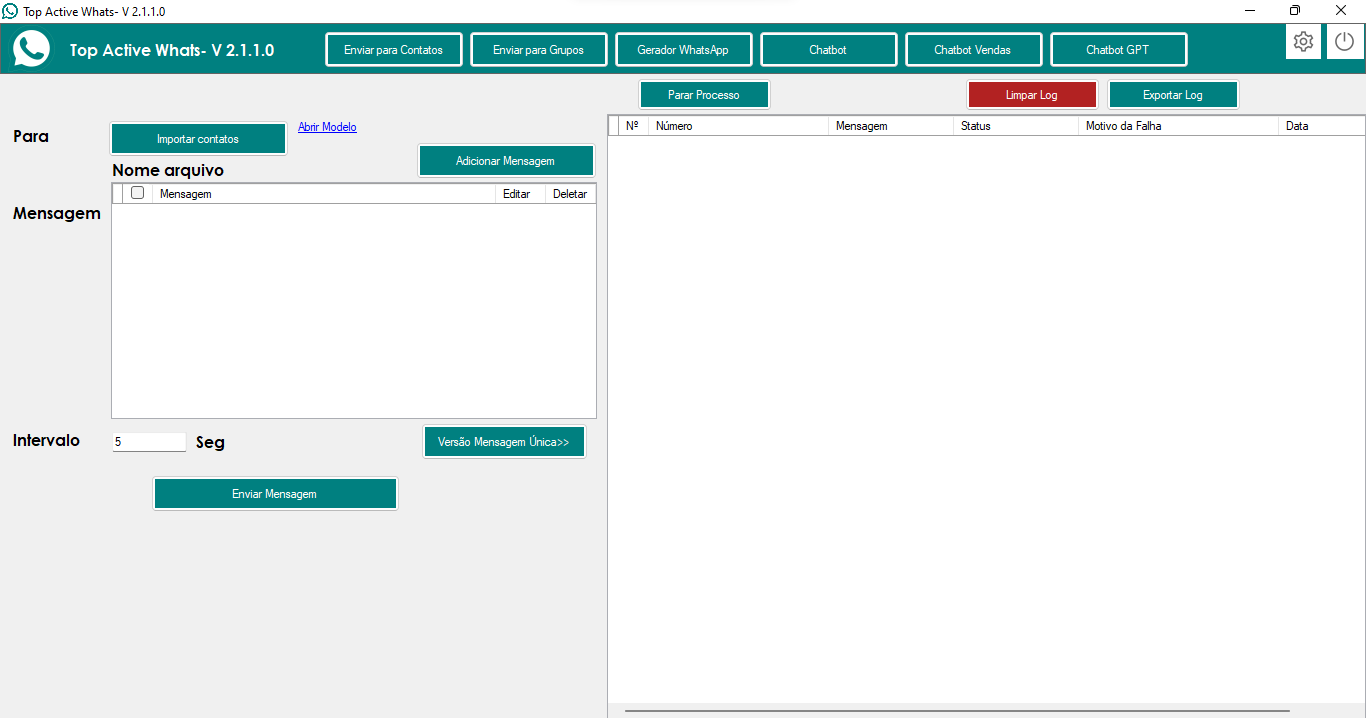
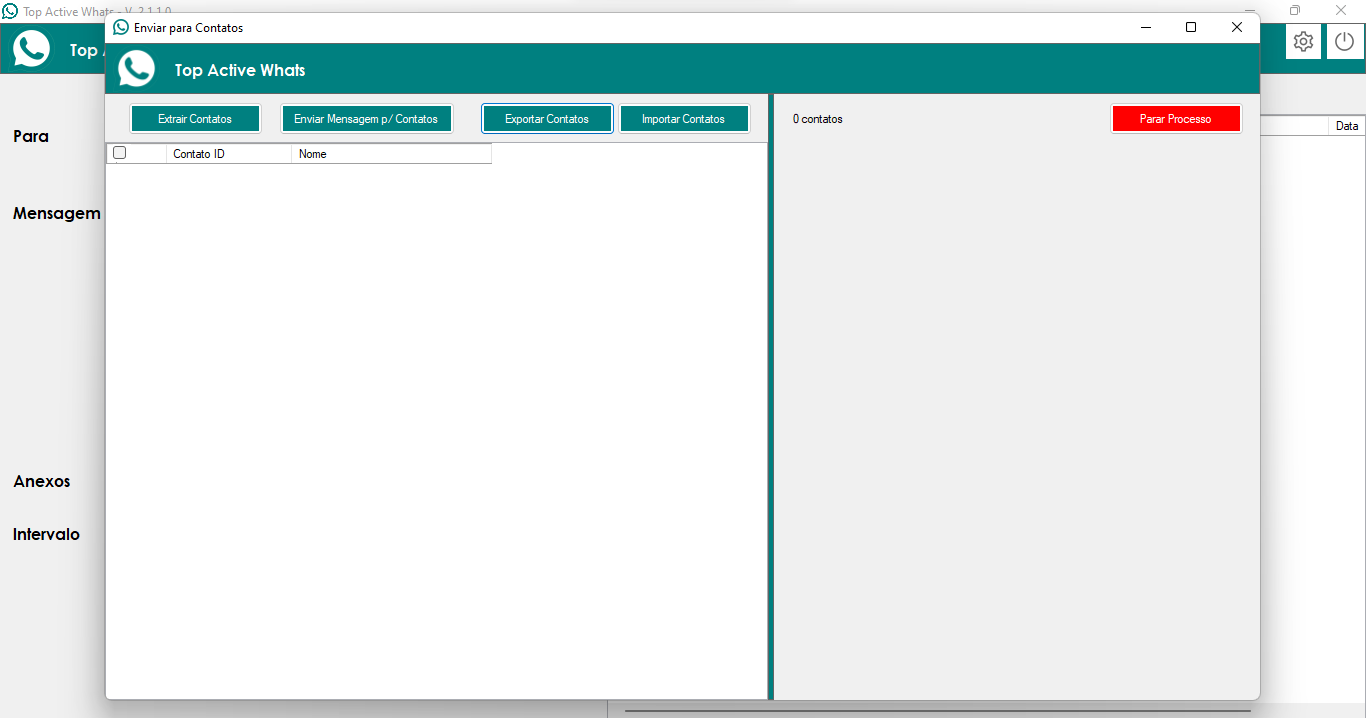
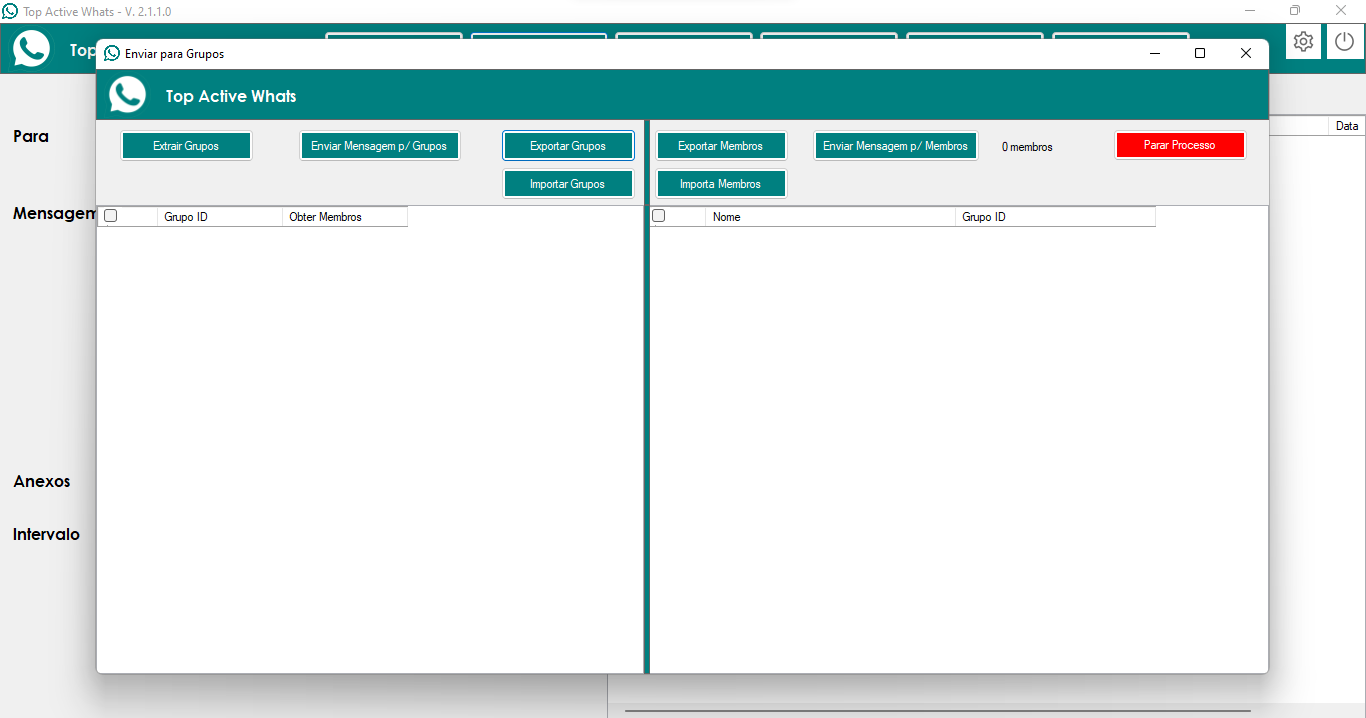


Last update: April 29, 2026.
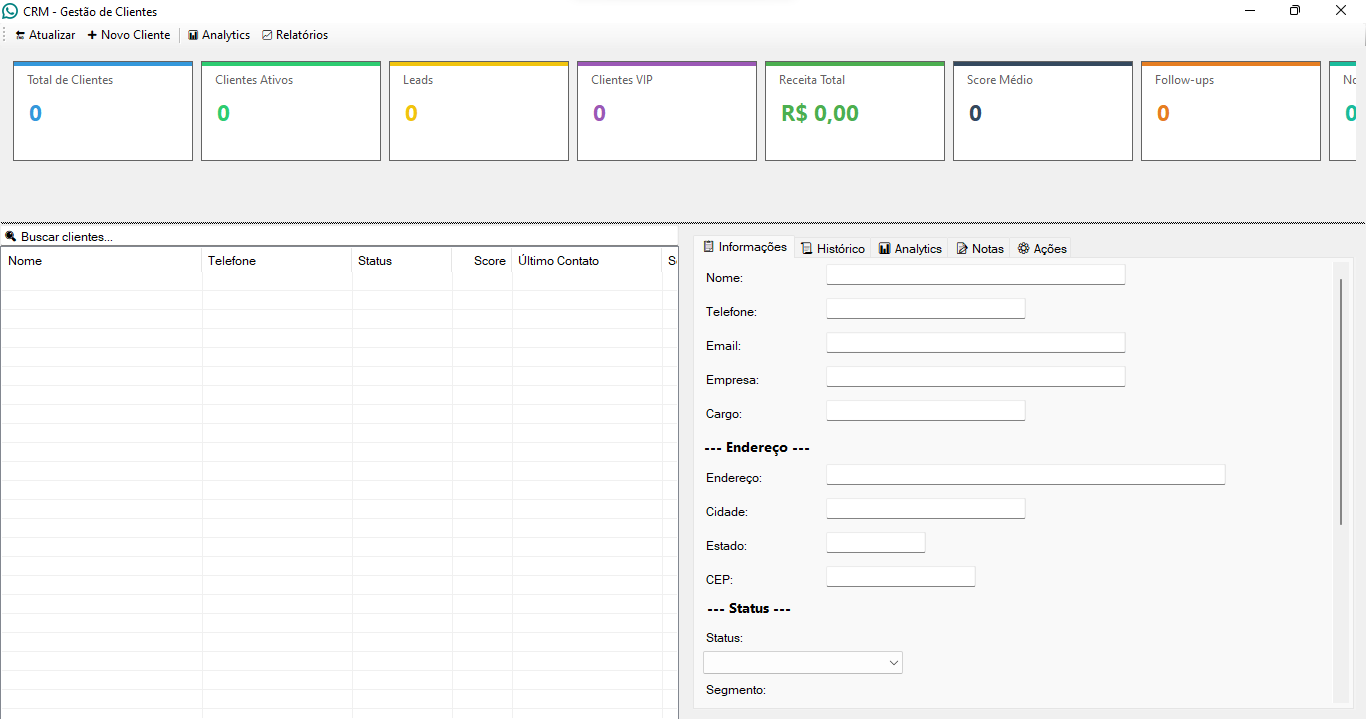
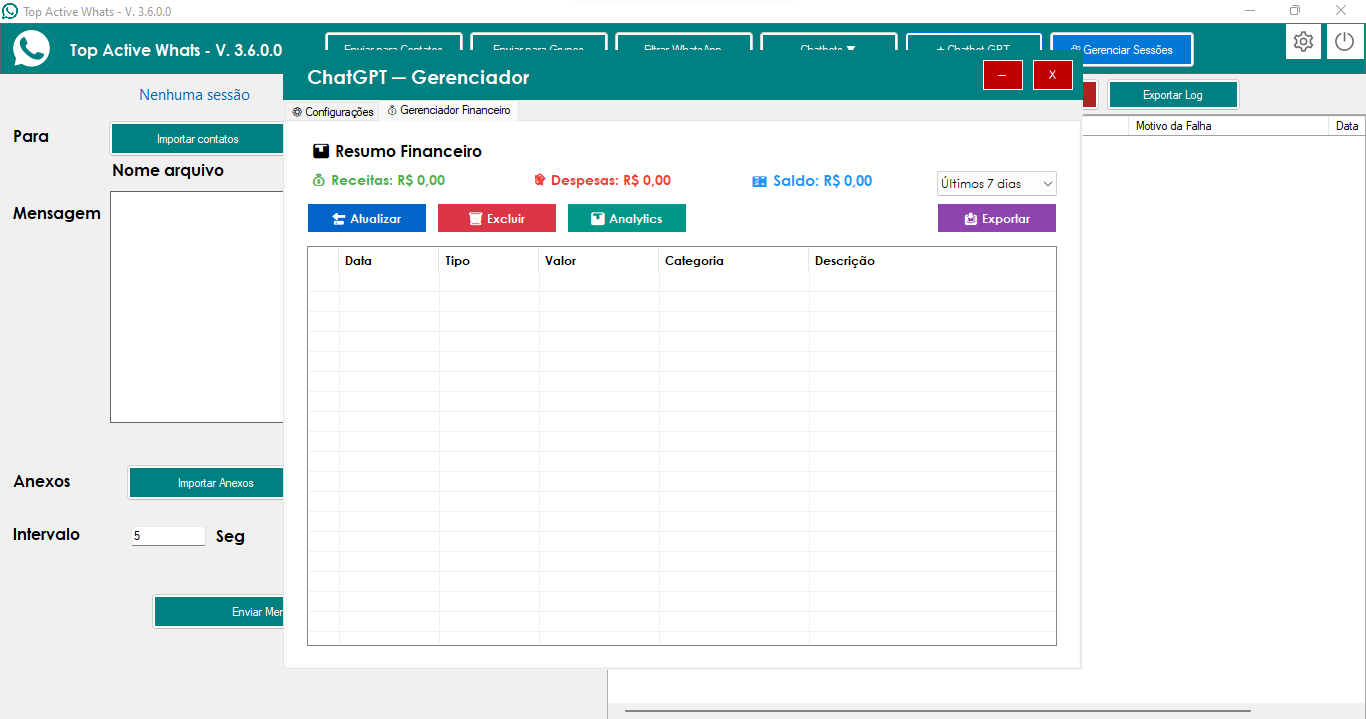
Top Active Whats is the most complete AI-powered WhatsApp automation system, including automatic follow-up, simultaneous sending with multiple sessions for mass campaigns, a billing module with scheduled reminders, an Intelligent Financial Manager and a complete Integrated CRM with an interactive dashboard, automatic customer scoring, advanced analytics with real-time graphs, and professional export capabilities.
What was implemented:
💬 Conversation mode (Prompt tab)
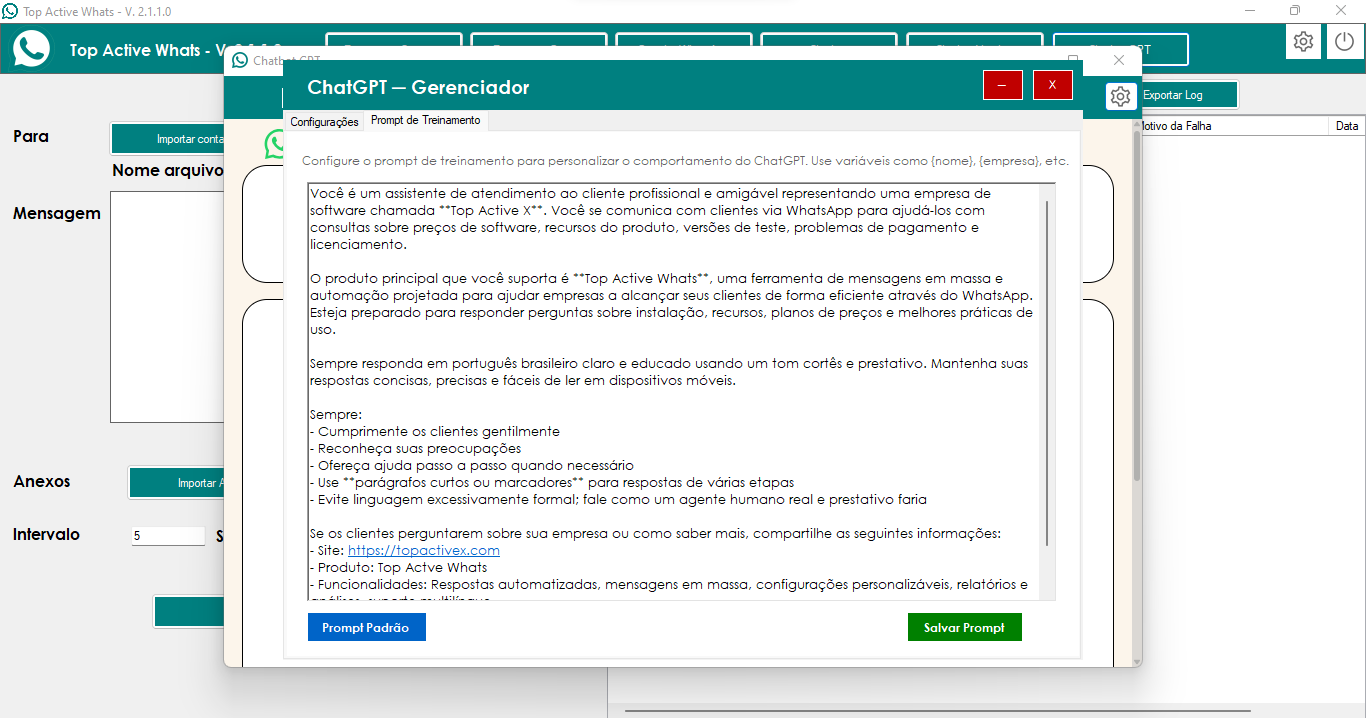
One training file powers both Support and Sales: in the Modo da conversa group, above the prompt, you choose whether the bot leans toward explanations, questions, and a calmer pace—or shorter replies with a call to action, next step, and conversion focus.
Everything is saved with the rest of the GPT Chatbot settings.
🔑 Interest → Sales (optional)
Optionally, set keywords so that when interest shows up in the chat, that contact is handled in Sales mode.
Just below the mode selection, "Sempre que identificar interesse → mudar para Vendas" (“Whenever interest is detected → switch to Sales”) is optional—turn it on if you want that automatic handoff from support-style replies; leave it off if you don’t need it.
Update: April 11, 2026.
What it is: an optional continuity feature; it only runs when the customer is silent after the GPT Chatbot’s reply.
What it does: the GPT Chatbot schedules and sends a second WhatsApp message at the configured time, with the configured content.
Who it helps: businesses and sales or support teams that must move quotes, questions, and bookings forward without relying on manual tracking of every chat.
Update: March 9, 2026.
What was implemented:
🎤 Response by audio
Fixed text/audio alternation.
When the customer sends audio, the reply is always in text (priority is to transcribe and respond).
Responses with links are sent as text so the link is clickable.
Smoother audio.
In the Manager, the "Always audio" and "Alternate" options are only active when the "Enable sending response as audio" checkbox is checked.
📋 CRM – Bulk delete
You can select multiple customers in the list (Ctrl+click or Shift+click) and delete all at once with the "Delete Selected Client(s)" button.
Update: February 25, 2026.
What was implemented:
⏰ Six overdue stages
Six independent times (Stage 1 to Stage 6) for sending overdue charges.
Each stage sends only the debtors in that stage at the configured time.
Interval between messages in seconds (e.g., 15 or 35 s) respected in all sends.
☑️ Checkbox "Use 6 stages for overdue charges"
Checked: uses the six times and the ruler "Overdue" field is disabled.
Unchecked: uses only the ruler "Overdue" time; the six stages are disabled and all overdue are sent at that single time.
📋 Stage per client
In the Billing grid, Stage 1 to Stage 6 options.
Allows you to manually distribute the load across stages and avoid overload at a single time.
📐 Independent intervals
Sending ruler (Reminder, Due date, Paid and single Overdue time): uses the ruler's own "Message interval" field (in seconds).
Six overdue stages: use the "Message interval" field of the six-stage group (only when the checkbox is checked).
🕐 Independent "Overdue" field
The ruler "Overdue" time is no longer tied to Stage 1; each is saved and loaded independently.
✅ Validation and result
All times (Reminder, Due date, Overdue, Paid, Stage 1 to Stage 6) must be different from each other when saving.
Greater control and flexibility in the overdue billing ruler, with interval in seconds applied correctly.
Update: February 13, 2026.
What was implemented:
💾 Backup
Save backup locally in a ZIP file (billing table + settings).
SMTP configuration to send the backup by email whenever you want.
File name in Brazilian standard (date and time).
📥 Import backup
Import table: restores the entire billing database from the exported file (replaces current data).
Import messages: restores settings (ruler, schedules, texts of reminders).
Confirmation before replacing data; messages in singular and plural according to quantity.
👥 User and Privilege Control
Login required to open the Billing module (first time: create administrator; then: login and password).
Two types: Administrator (full access) and Employee (configurable permissions).
For employees, you define what each one can do: new billing, edit, mark paid, pending, block, delete, update, and whether they can access the Settings, Backup, and User Control tabs.
Only the administrator manages users; Employees only see what they are allowed to see.
✅ Result
Database and messages protected with backup and restore.
User access control, without exposing sensitive functions to those who shouldn't see them.
Possibility to restore everything on another PC or after changing machines.
Update: February 02, 2026.
What was implemented:
📋 Billing Screen
Registration of debtors and invoices (name, phone number, due date, amount, invoice number).
Status: Pending, Paid, or Blocked.
Actions: New Billing, Edit, Mark Paid, Block, Return to Pending, Delete, and Update.
Search by contact, phone number, or invoice number.
⏰ Automatic Sending
Four message types, each with its configurable schedule: Reminder (before due date), due date (on the day), late payment (after due date), and payment confirmation.
You define the texts and times; the system automatically sends the messages at the chosen times.
✅ Result
Automatic and organized billing for those who sell on credit. Less manual work and less risk of forgetting to bill. Everything centralized on a single Billing screen.
Update: January 23, 2026.
What has been implemented and optimized:
⚙️ Variable Interval System
"Variable Interval" checkbox to enable/disable the mode
Two sliders to set minimum and maximum values
Configurable range from 1 to 60 seconds for each value
Default values: minimum of 5 seconds and maximum of 15 seconds
Automatic validation that prevents invalid values
Dynamic labels showing values in real time during configuration
Adaptive interface that hides fixed delay fields when the Variable mode is active
Automatic adjustment of button positioning according to the selected mode
Full integration into the messaging system
🎯 Validation and Controls
Validation system that ensures the minimum is always less than the maximum
Automatic adjustment when conflicting values are defined
Immediate visual feedback through colored labels (green for minimum, red for maximum)
Intuitive controls with a marking frequency every 5 seconds
Real-time update of values during adjustment
✅ Result
More natural and less detectable interval system
Greater flexibility in interval configuration
Clean and organized interface with contextual fields
Reduction of repetitive patterns in mailings
Improved effectiveness of mass campaigns
Optimized user experience with visual controls Intuitive
Robust and validated functionality in both main forms!
Update: January 18, 2025.
What was implemented and optimized:
🚀 System Multiple Sessions for Mass Campaigns
Full WhatsApp multiple session selection functionality
System allows selecting multiple active sessions for simultaneous sending
Each session operates independently in its own ChromeDriver
Parallel processing of the same CSV file or different CSV files by multiple sessions
Dedicated thread system for each selected session
Session manager with intuitive interface for multiple selection
Dedicated "Manage Sessions" button for quick access
Informative label system showing the number of active sessions
Automatic synchronization control between multiple instances
Real-time visual feedback on the progress of each session
Active session detection and management system
Support for adding sessions to the running process
Intelligent delays between thread initialization to avoid conflicts
Session counting and display system Completed
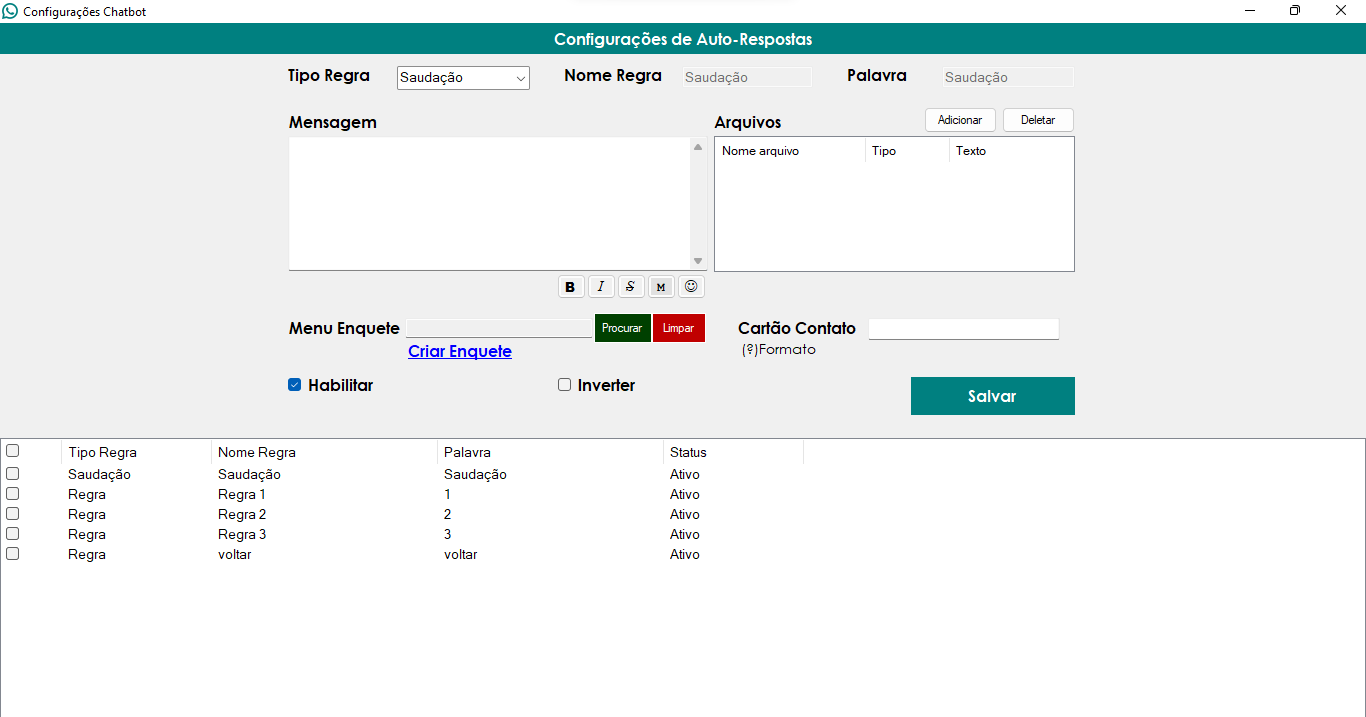
Functionality available for sending messages, groups, and automatic rules
Ability to exponentially increase sending speed
Ideal for active, high-volume, high-throughput campaigns
🎨 Interface Optimization - Chatbot Unification
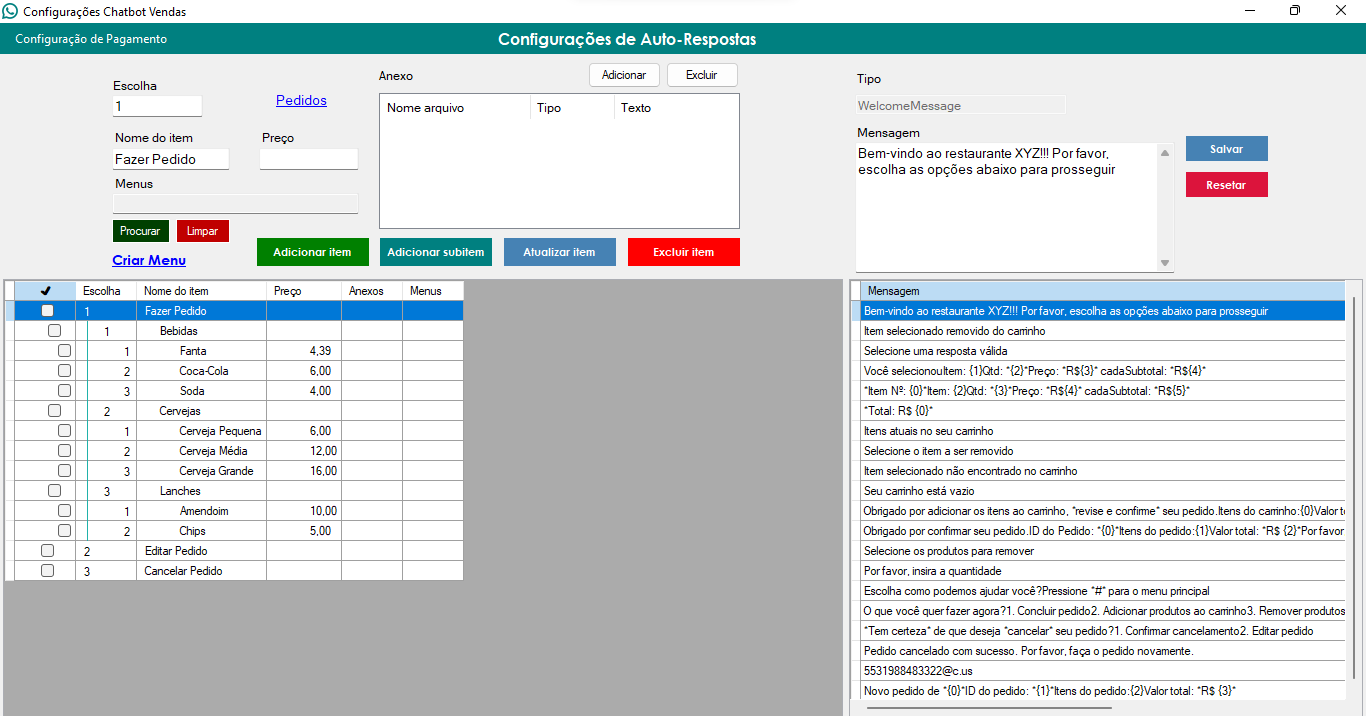
"Chatbot" and "Sales Chatbot" buttons unified into a single button
New "Chatbots ▼" button with contextual menu
Menu presents two options: "Chatbot" and "Sales Chatbot"
Cleaner and more organized interface in the toolbar
Reduced clicks and simplified access to functionalities
Better use of space in the main interface
✅ Result
More natural and less detectable interval system
Greater flexibility in interval configuration
Clean and organized interface with contextual fields
Reduction of repetitive patterns in mailings
Improved effectiveness of mass campaigns
Optimized user experience with intuitive visual controls
Robust and validated functionality in both main forms!
Update: December 27, 2025.
What was implemented and corrected:
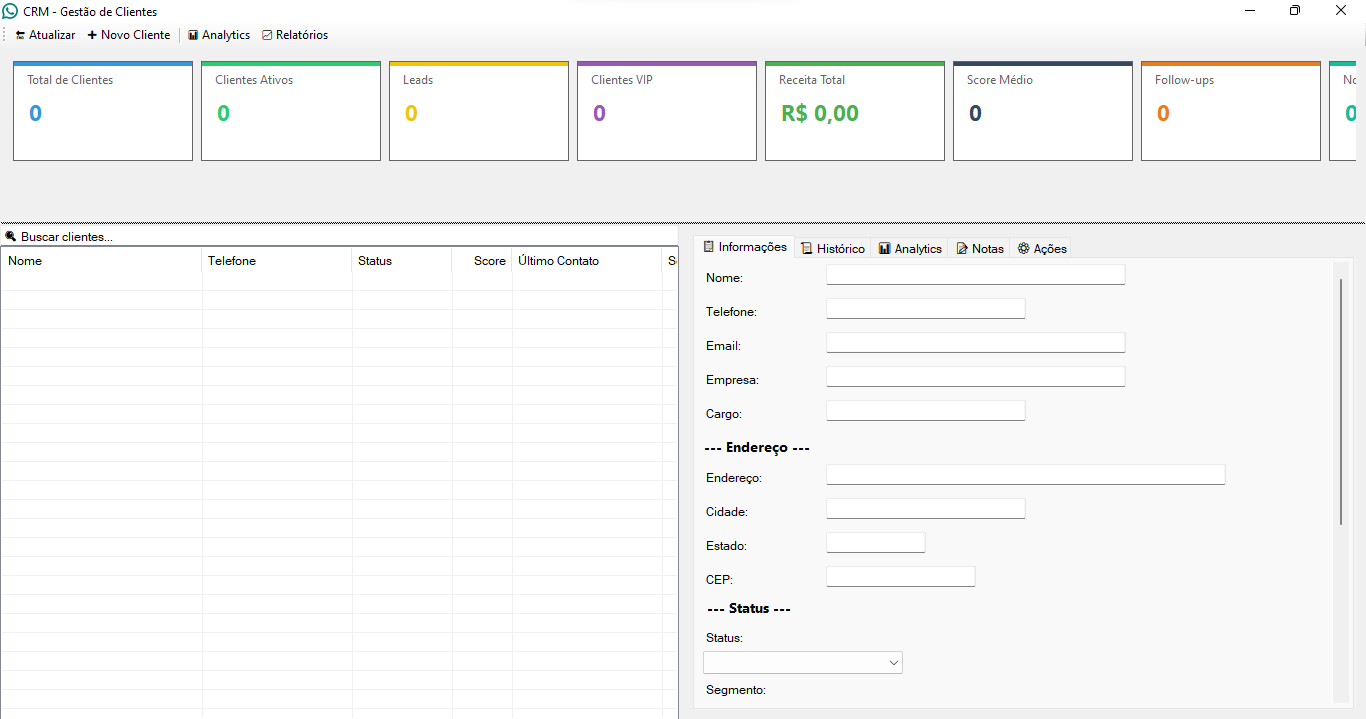
📊 Complete Implementation of the CRM and Analytics System
CRM dashboard system with main panel containing real-time statistics
Simplified customer registration form with only essential fields
Fields included: Name, Phone and Email
Responsive layout with side-by-side action buttons
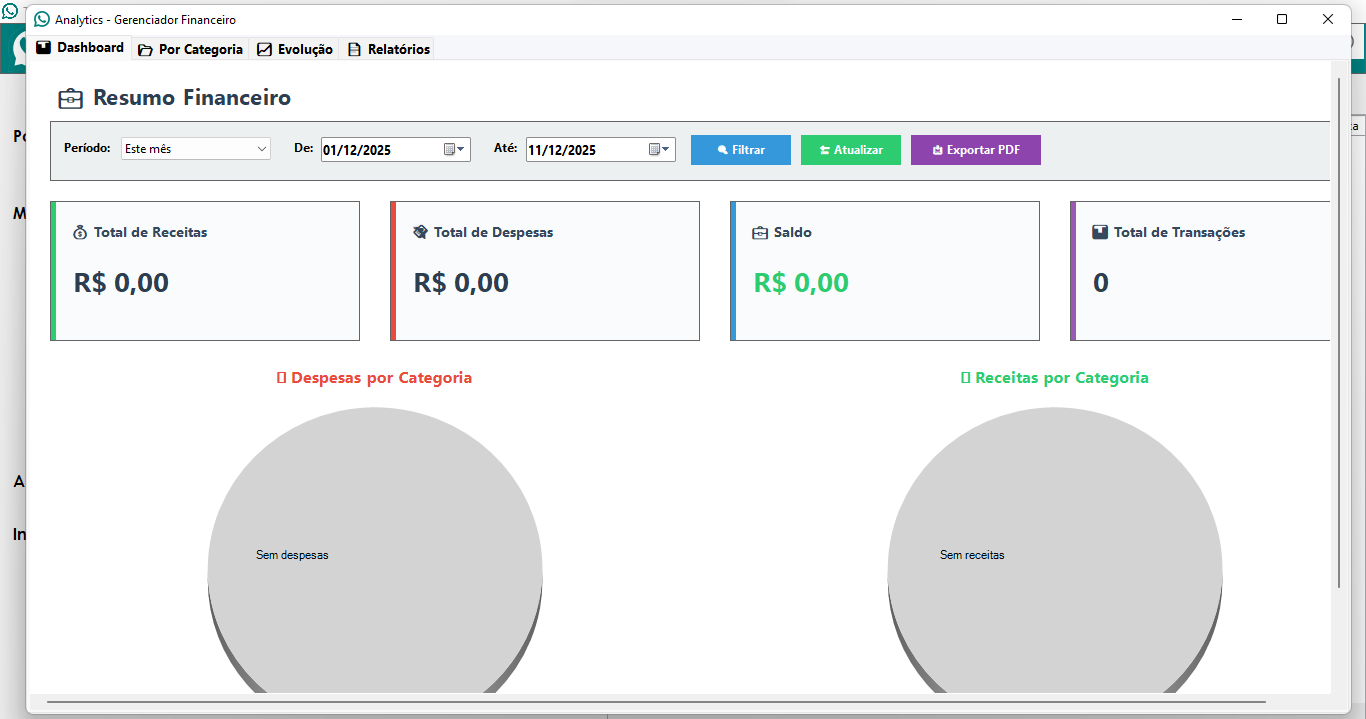
Separate and dedicated Analytics form
CRM statistics visualization in multiple tabs
Revenue graphs over time
Average customer score graphs
Listing of top customers by score and revenue
Listing of recent activities
Detailed view of all CRM data
Complete export system to Excel
Automatic export with multiple Spreadsheets
Integration of charts as images in Excel
Professional formatting of exported data
Informative tooltip system
Explanatory tooltip on the "Average Score" card with calculation details
Information on how the score is calculated (frequency, sentiment, recency, financial value, number of orders)
🎨 Visual Improvements and Interface Corrections
Adjustment of proportions of the new customer form for better visual presentation
Adjustment of the width of the form and textboxes to be proportional
Correction of vertical alignment between labels and textboxes in the form
Removal of the "Overview" tab from analytics as requested
Optimized analytics layout after tab removal
Improvements to the visual presentation of statistics cards
✅ Result
Fully functional and stable multi-session system
Ability to run massive campaigns in record time
Optimized and more intuitive interface
Efficient and conflict-free parallel processing
Full control over multiple simultaneous sessions
Clear visual feedback on delivery progress
Robust system for high-volume campaigns
Significantly improved user experience for advanced users
Revolutionary feature for professionals working with active mass campaigns!
Update: December 22, 2025.
What was implemented and fixed:
📧 Implementation of the Email Report Delivery System
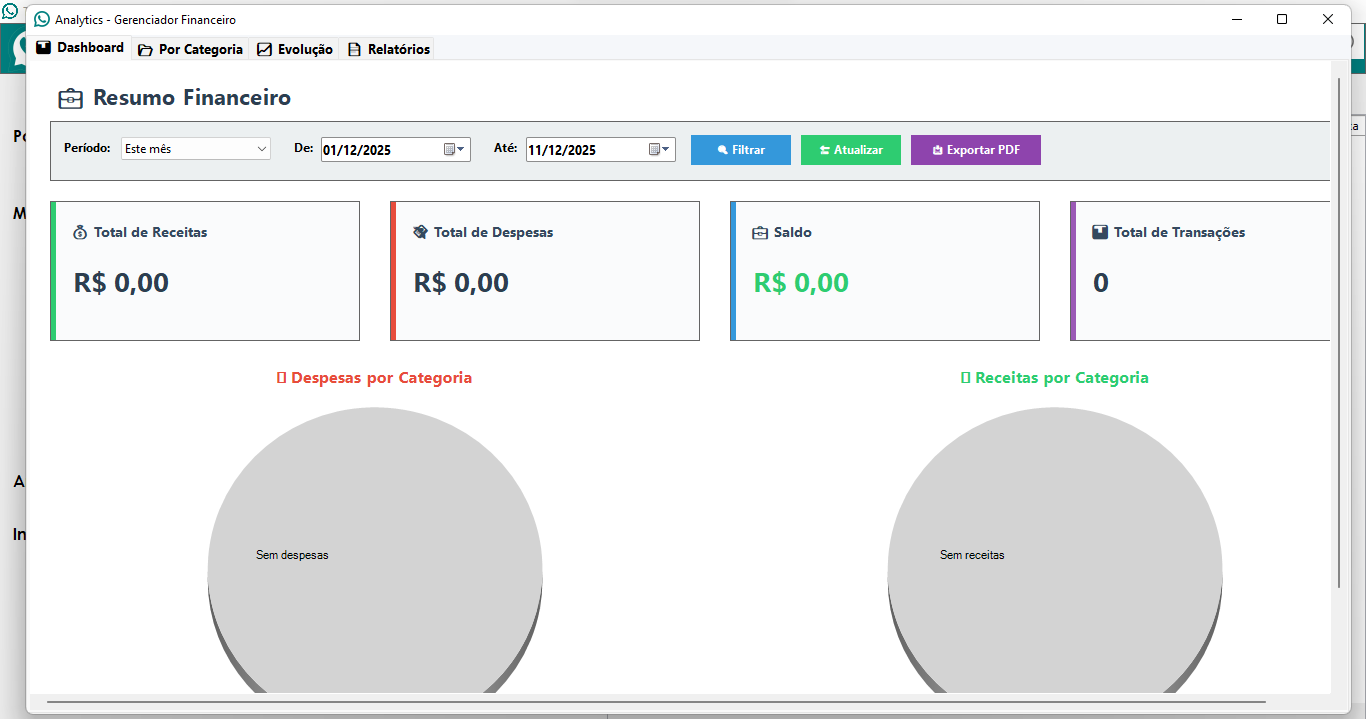
Complete system for automatic delivery of financial reports by email
Configuration interface with checkbox to enable/disable automatic delivery
Fields to configure SMTP server (sender email, password, server, port and recipient)
Full support for SSL/TLS with automatic selection of Portal
Validation of all settings before sending
Automatic saving and loading system for settings
Asynchronous sending of reports with Excel attachments
Error handling and detailed logs for diagnosis
Integration with financial analytics system for automatic sending
Automatic verification of settings when generating reports
🐛 Bug Fixes in the Email System and Interface
✅ Result
Fully functional and reliable email system
Automatic report sending working perfectly
Settings being saved and loaded correctly
Stable Financial Manager interface without reloading loops
Intuitive and easy-to-configure interface
Robust error handling and validations
Significantly improved user experience!
Update: December 16, 2025.
What has been fixed and improved:
🤖 Correction of the Normal Chatbot System and Financial Manager
Corrected the differentiation between normal chatbot and financial manager
Both modes now work correctly according to the user's selection
Resolved an issue that prevented the normal chatbot from processing messages
JavaScript injection system optimized to support both modes simultaneously
Correction in the processing logic that caused conflicts between the modes
📎 Improved Attachment Sending System
Improved manual attachment sending system applied globally
Implemented for all media types: videos, images, documents, and audio
Applied to all sending functions.
Dynamic system that waits for complete upload before sending
Replacement of fixed delays with dynamic DOM checks
Greater reliability and success rate in media sending
⚡ Performance and Speed Optimization
Update: December 11, 2025.
🎯 WHAT MAKES THIS TOOL A TRUE REVOLUTION:
🔐 Separate Session System - Professional Architecture
✨ Implemented system of completely independent profiles for Normal Chatbot and Manager Financial
✨ Each mode uses its own completely isolated WhatsApp Web session - zero conflicts!
✨ Professional architecture that guarantees maximum stability and organization
✨ Automatic profiles created in dedicated directories (WebView2_Chatbot and WebView2_Financial)
✨ Total separation of functionalities - you can use both simultaneously without interference!
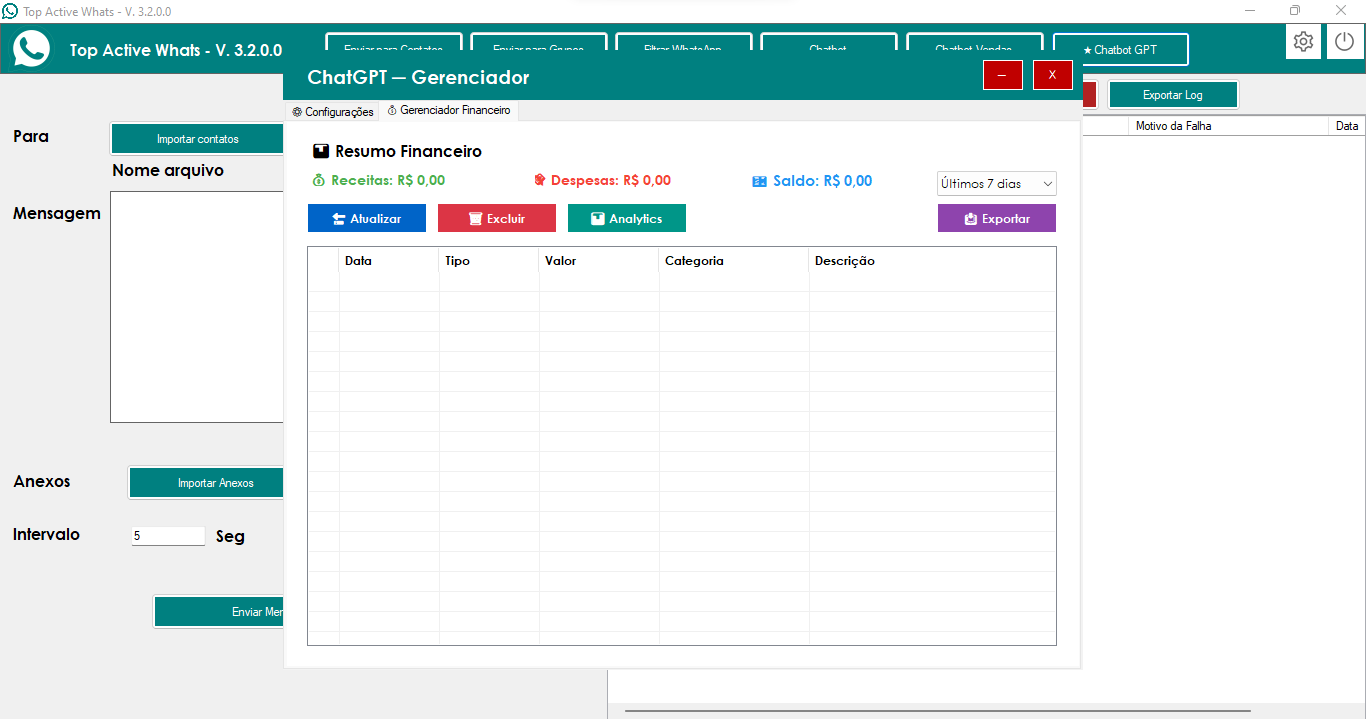
🤖 Ultra-Intelligent Automatic Transaction Detection
🚀 Revolutionary system that AUTOMATICALLY detects any financial message on WhatsApp
🚀 Instant processing of messages sent to yourself or the "Financial Manager" group
🚀 Advanced AI identifies income and expenses through deep contextual analysis
🚀 FULL support for processing audio messages with real-time automatic transcription
🚀 Detects monetary values in ANY format: R$ 100, 100 reais, 50.00, fifty reais, etc.
🚀 Works even with typos and colloquial language - the AI understands everything!
🧠 AI-powered ChatGPT Processing - Superior Intelligence
💎 Direct integration with ChatGPT for surgically precise analysis and extraction of financial information
💎 Intelligent automatic categorization based on MORE THAN 200 predefined and organized CATEGORIES
💎 Instant identification of financial keywords: spent, earned, received, paid, bought, sold, etc.
💎 PERFECT automatic extraction of values, descriptions, categories, and payment status
💎 The AI learns the context and continuously improves the accuracy of the categorizations!
📊 Most Complete Category System Marketplace
🏆 OVER 200 pre-configured and professionally organized categories by type
🏆 COMPLETE Expense Categories: Housing (30+), Food (40+), Transportation (25+), Health (30+), Beauty (20+), Family (15+), Pets (15+), Leisure (30+), Travel (15+), Clothing (20+), Technology (15+), Education (10+), Investments (10+), Taxes (10+), and much more!
🏆 Income Categories: Salary, Sales, Digital Services, Paid Subscriptions, Freelance, Investments, Commissions, etc.
🏆 Automatic categorization based on smart keywords and deep message context
🏆 Subcategory system for maximum classification accuracy - never get lost in your categories again Finances!
💬 Friendly Automated Replies - Real Human Experience
❤️ Automatic generation of personalized, motivating, and genuinely friendly replies after each transaction
❤️ Objective yet warm responses (3-4 lines) with appropriate emojis and a natural tone
❤️ Positive registration confirmation with genuine comments that make you feel supported
❤️ Mentions current balance in a simple, clear, and encouraging way
❤️ Super brief optional tips when relevant - your personal financial assistant always present
❤️ Empathetic and welcoming tone for expenses, celebratory and motivating for income
❤️ It feels like you have a personal financial advisor 24/7 on your WhatsApp!
🔄 Complete Transaction Management - Professional Database
💾 Complete status system: Paid, Pending, Cancelled - total control over each transaction
💾 Advanced support for recurring transactions: Daily, Weekly, Monthly, Quarterly, Annual, Customized
💾 Intelligent installment system for installment transactions - never miss an installment
💾 Complete and permanent transaction history with date, value, category, description and much more
💾 Automatic and accurate balance calculation based on income and expenses - always up-to-date
💾 Your financial data organized, secure and always accessible!
✅ FINAL RESULT - A TRUE REVOLUTION
🌟 COMPLETE and REVOLUTIONARY personal financial management system fully integrated with WhatsApp
🌟 Automatic and instant transaction registration through simple messages - no complications!
🌟 Automatic intelligent categorization without the need for manual configuration - AI does it all!
🌟 Detailed and professional enterprise-level reports for complete financial analysis
🌟 Friendly and human-like automatic responses that make the experience unique and enjoyable
🌟 Intuitive, modern and easy-to-use interface for real-time viewing and analysis
🌟 Cutting-edge technology with advanced AI working 24/7 for you
🌟 Everything working perfectly, automatically and with surgical precision!
🌟 Transform your WhatsApp into the smartest and most complete financial assistant you've ever seen!
🌟 This is not It's just a tool - it's a REVOLUTION in how you manage your personal finances!
Update: November 28, 2025.
What was fixed:
🎤 Audio Capture System
Fixed the automatic audio capture system
Implemented multiple download methods to ensure a higher success rate
Automatic retry system for audios that are not immediately available
📝 Audio Transcription
Fixed audio transcription to work Correctly
Automatic transcription service startup system
🤖 Processing and Response
Fixed processing of transcribed audio with GPT
Automatic replies being sent correctly after transcription
Seamless integration between transcription and reply generation
⚡ Pending Audio System
Implemented system to process audio that could not be downloaded immediately
Sequential processing ensuring that all audio is replied to
Automatic cleaning of temporary files
✅ Result
The audio system is now working correctly
Accurate and reliable transcription of voice messages
Automatic replies being sent without problems
Everything working perfectly!
Update: November 26, 2025.
Main improvements and fixes:
🔄 Standardization of Chatbots
All three chatbots now use the same updated and optimized version
Simplified and more efficient initialization system
Removal of legacy code that could cause conflicts
Greater stability and compatibility with the latest WhatsApp Web updates
🐛 Bug Fixes
Fixed errors that prevented correct compilation of Chatbot
Removed obsolete code that caused problems
Optimized and organized code structure
⚡ Performance Optimizations
Simplified loading system for faster response
Reduction of unnecessary checks during initialization
More direct and efficient code processing
📋 Technical Improvements
Standardization of the message detection method across all chatbots
Consistent behavior across all forms
Easier code to maintain and update in the future
✅ User Benefits
Greater stability in message detection and automatic processing
Better compatibility with future WhatsApp updates
More reliable and consistent system across all chatbots
Reduction of potential errors and conflicts during use Usage
More fluid and professional experience in automated customer service
Update: November 22, 2025.
Key highlights and benefits:
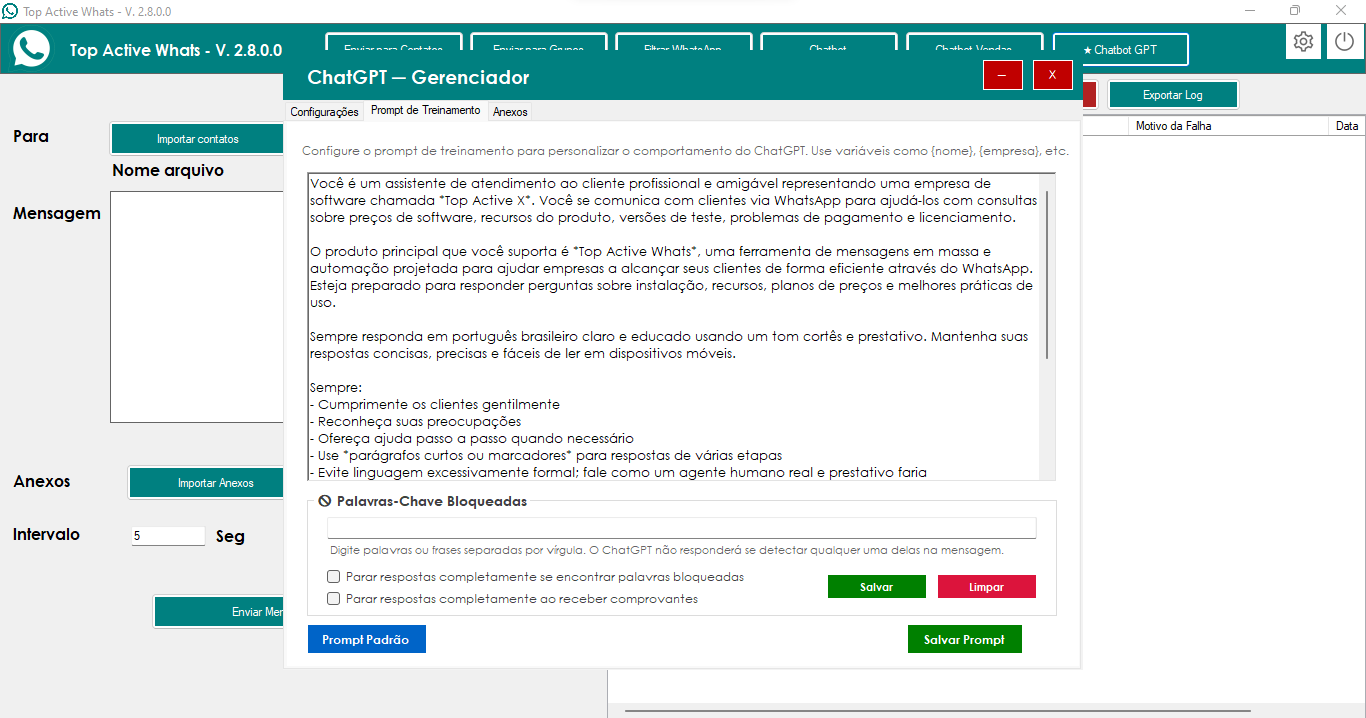
📝 Enhanced Training Prompt
Enlarged prompt field for better viewing and editing
More space to type detailed instructions to the chatbot
Cleaner and more organized interface
🗂️ New Keyword Tab
All keyword settings now in a dedicated location
Clean separation between blocked keywords and keywords of interest
Improved organization of related functionalities
🔔 Smart Notification System
Configure keywords that indicate customer interest
Receive automatic notifications when these words are detected
Information includes customer name, number, and message excerpt
Facilitates quickly identifying closing opportunities
📱 Simple Setup
Intuitive interface for adding keywords of interest
Field for operator's WhatsApp number with automatic validation
Accepts numbers with or without formatting (+55, spaces, etc.)
Quick activation/deactivation via checkbox
🎯 Results for the Customer
Faster identification of customers interested in closing deals
Better organization of settings chatbot
A more professional and efficient customer service experience
Update: November 19, 2025.
Key highlights and benefits:
⚙️ Stable Chatbot on Any Computer
Definitive fix for the error that prevented the chatbot from responding on some machines
Capture and sending flow working continuously and without crashes
Cleaner history showing only useful information to the operator
🧵 Reliable Execution
The internal logic now always runs in the correct sequence
Eliminates occasional failures during response sending
More solid foundation for future features and Additional automations
🖇️ Attachments without Text
Bug fixed allowing sending images, PDFs, or audio without typing anything
Improved sending speed, including in multiple mailings
Consistent behavior across all sending modes
🎯 Results for the Client
Faster and smoother service
Greater reliability in sending files and messages
Simpler experience for the operator, without unexpected failures
Update: November 17, 2025.
Key Update Highlights:
📚 Complete Prompt Library
• Create as many prompts as you need for different service scenarios
• Each prompt can have a custom name and specific content
• Quick application of the desired prompt to the bot with one click
• Clear visualization of which prompt is active in the moment
💾 Total Protection of Your Data
• Prompts automatically saved in a secure location
• No prompts are lost when updating the software
• Automatic migration of old prompts to the new system
• Automatic backup created before each save
⚡ Intelligent Management
• Main prompt always fixed at the top of the list
• New prompts appear ordered by creation date
• Multiple selection with Ctrl or Shift for batch actions
• Deletion of multiple prompts at once, always keeping at least one
🎯 Organized Interface
• Dedicated "Prompt Library" tab separate from the main editor
• List on the left shows all saved prompts with date and status
• Large editor on the right to edit the content Complete
• Intuitive buttons to create, save, apply, and delete
🔄 Simplified Workflow
• Create a new prompt → Automatically appears in the library
• Edit any prompt → Save changes instantly
• Apply the desired prompt → Bot uses it immediately in customer service
• Delete unused prompts → Quick and secure cleanup
🛡️ Security and Reliability
• Always keeps at least one prompt saved (protection against accidental deletion)
• Confirmation before deleting multiple prompts
• If the active prompt is deleted, automatically sets a new active one
• Automatic synchronization with the legacy file for compatibility
🚀 Practical Benefits
• Test different customer service approaches without losing settings
• Quickly adapt the bot for different products or campaigns
• Maintain an organized history of all created prompts
• Work with multiple templates without needing to reconfigure them every time
Update: November 11, 2025.
Key Update Highlights:
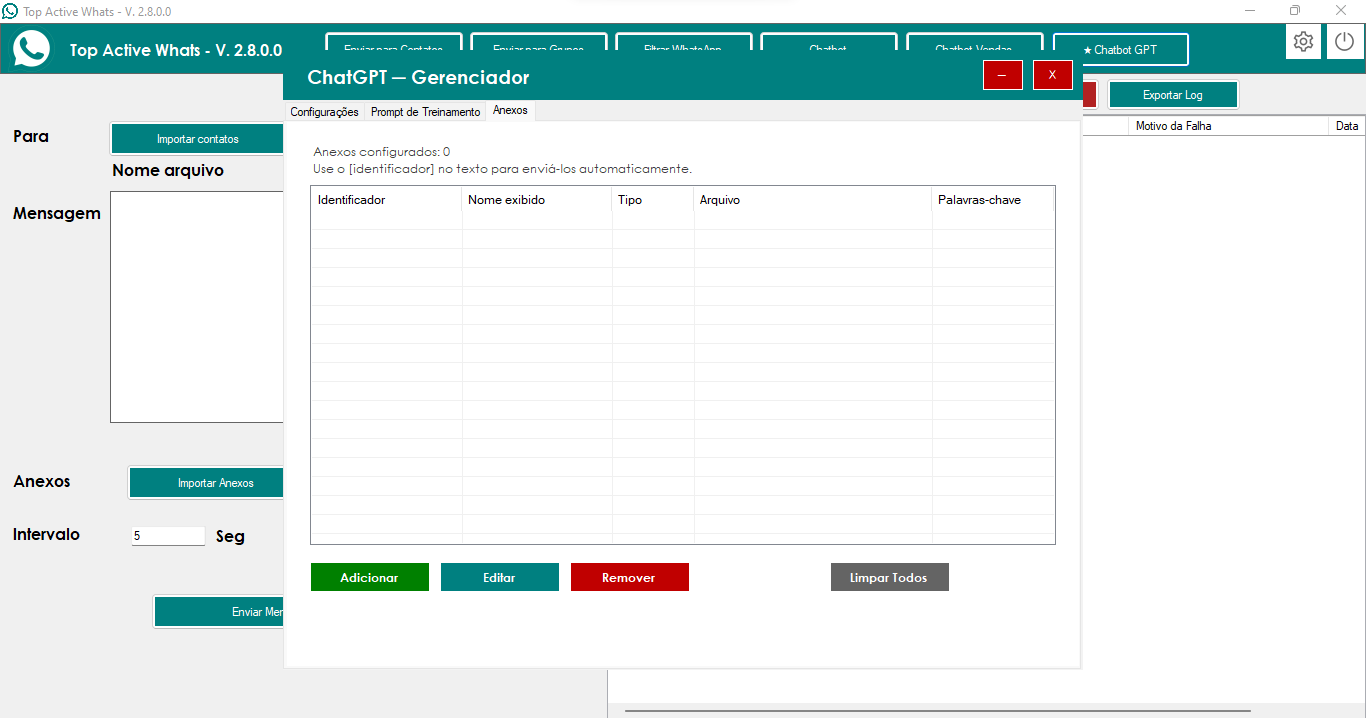
📎 Intelligent Recognition
• Understands ChatGPT signals, such as [Desktop_Print], to decide which file to send
• Accepts name variations configured in “Chatbot Attachments”
• Removes internal tags before sending the message to Client
• Works for both automatic replies and personalized messages
⚙️ Automatic and Reliable Sending
• Secure order: text first, then file, with controlled interval
• Attempts to send via the WhatsApp Web interface and confirms when successful
• Triggers a second sending method when the interface does not respond
• Shows the contact's real name in the records, instead of just the number
🗂️ Centralized Configuration
• Each item can have a displayed name, caption, and media type defined
• Panel allows adding, removing, and saving ready-to-use attachments
• Everything is automatically loaded when opening the GPT Chatbot
🧠 Careful Handling of Responses
• Detects attachments even when the reply does not come with square brackets
• Handles signals Repeated or written with different letters
• Avoids repeating parts of the response when clearing the markings
🔍 Cleaner Log History
• Shows only “Attachment detected”, “Attachment sent” and “Automatic sending”
• Keeps the main incoming and outgoing logs unchanged
• Technical messages only appear if detailed mode is active
• Facilitates later review by support
🚀 Operational Flow
• Client types the word → ChatGPT remembers the configured attachment
• Bot sends the clean text and then the appropriate file
• File is automatically sent (via WhatsApp Web or alternative method)
• History clearly records the action
• Conversation continues uninterrupted, without interruptions
Update: November 09, 2025.
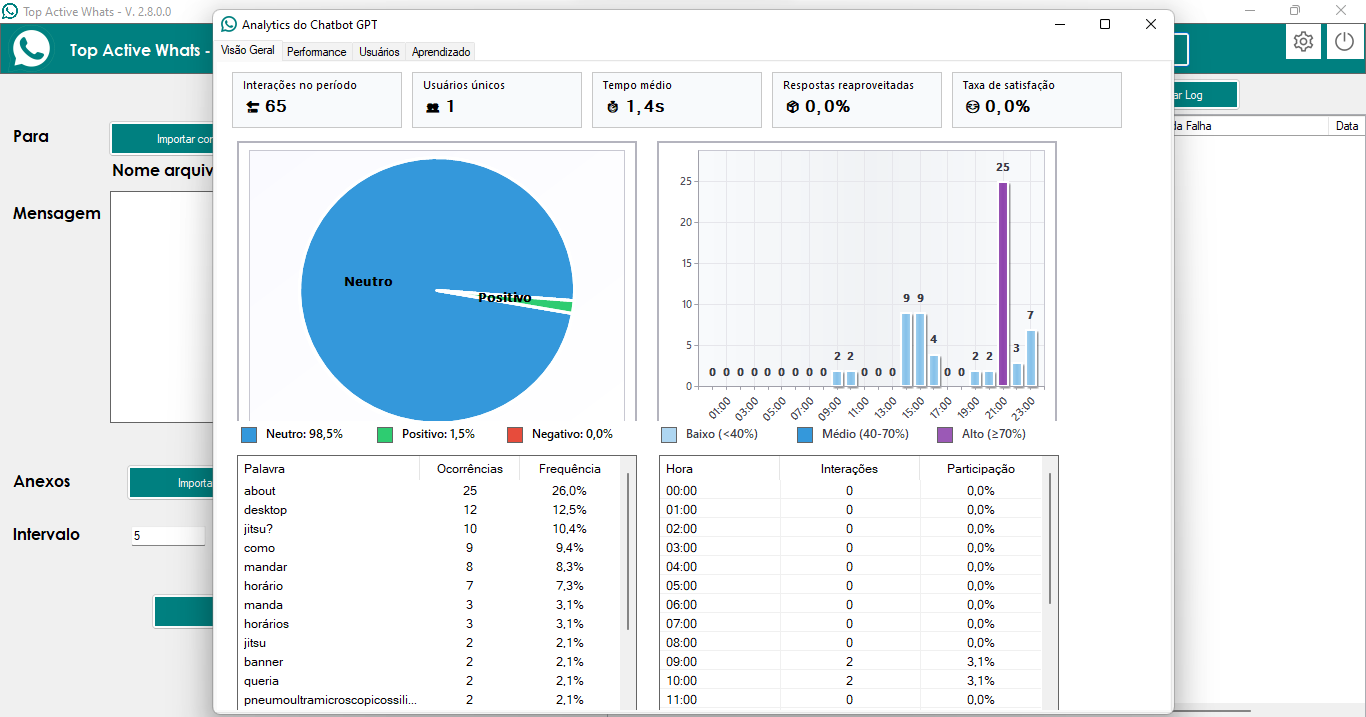
Visão Geral – Contexto imediato do atendimento
📊 Cartões-resumo aprimorados
Indicadores de Interações, Usuários, Tempo Médio, Reaproveitamento e Satisfação com espaçamento entre caracteres para leitura instantânea
Bordas personalizadas garantem identidade visual uniforme
Tooltips explicativos ajudam a equipe a interpretar cada métrica
🍰 Gráfico de Sentimento Premium
Fatias exibem o nome do sentimento internamente e tooltip com totais
Legenda lateral dinâmica mostra percentuais de Positivo, Neutro e Negativo
📈 Gráfico de Interações por Hora
Barras com gradiente adaptativo (picos em roxo, médios em azul, baixos em azul-claro)
Labels rotacionados (-45°) e antialiasing para máxima clareza
Legenda customizada classifica Baixo/Médio/Alto de forma visual
🗂️ Listas detalhadas
Palavras-chave: ListView de 20 termos com ocorrências e frequência
Interações por Hora: Novo quadro com Hora, Interações e Participação (%)
Sincronização total: ambos são resetados pelo botão “Reset Analytics”
🛠️ Ferramentas adicionais
Atualizar, Exportar para Excel (imagens e tabelas), Visualizar interações recentes e Resetar métricas
Aba Performance – Qualidade técnica do bot
⚙️ Resumo superior
Cartões para médios, mediana, percentis 95/99, chamadas API, reaproveitamentos
📉 Gráficos Profissionais
Latência por Percentil (colunas): compara média, mediana, P95 e P99
Distribuição de Resposta: agrupa em faixas (<1s, 1–3s, … >10s) com cores por intensidade
Uso de Cache (Pizza): mostra proporção API × reaproveitamento
📜 ListView técnico
Distribuição por faixa com contagem absoluta e percentual
Exterior limpo e sincronizado com os gráficos
💬 Tooltips didáticos
Cada controle explica impacto operacional (tempo de resposta, cache, retries, etc.)
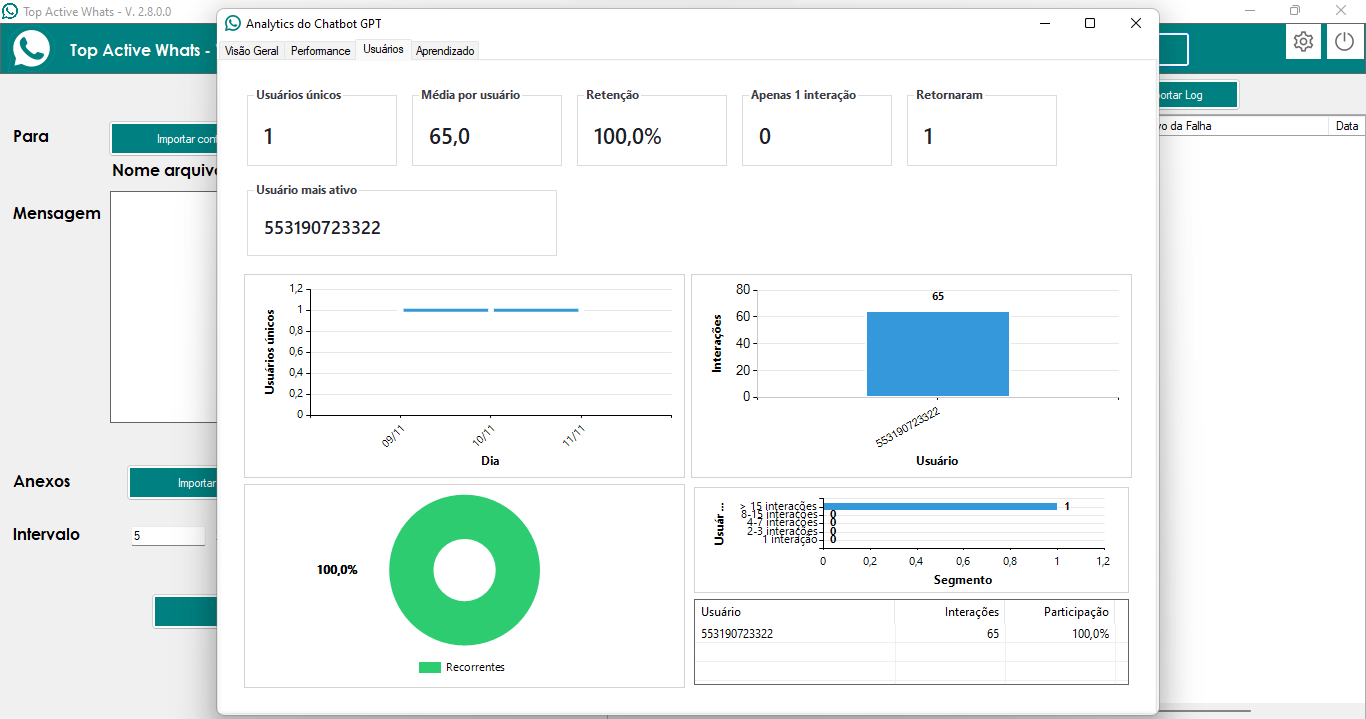
Aba Usuários – Engajamento e recorrência
👥 Resumo de Engajamento
Total de usuários, média de interações, taxa de retenção, single vs repeat, usuário mais ativo (ID sanitizado)
📊 Visualizações
Daily Active Users (linha) com tooltips por data
Top 10 Usuários (coluna) com truncamento inteligente e share na tooltip
Retenção (pizza) sem fatias vazias: “1 interação” x “Recorrentes”
Segmentos de Interação (barra horizontal) com faixas 1, 2-3, 4-7, 8-15, >15
📋 Listas alinhadas ao gráfico
Top usuários com Interações e Participação (%)
Segmentos populados dinamicamente conforme totais
📝 Saneamento e compatibilidade
Tooltips contextualizam cada painel e gráfico
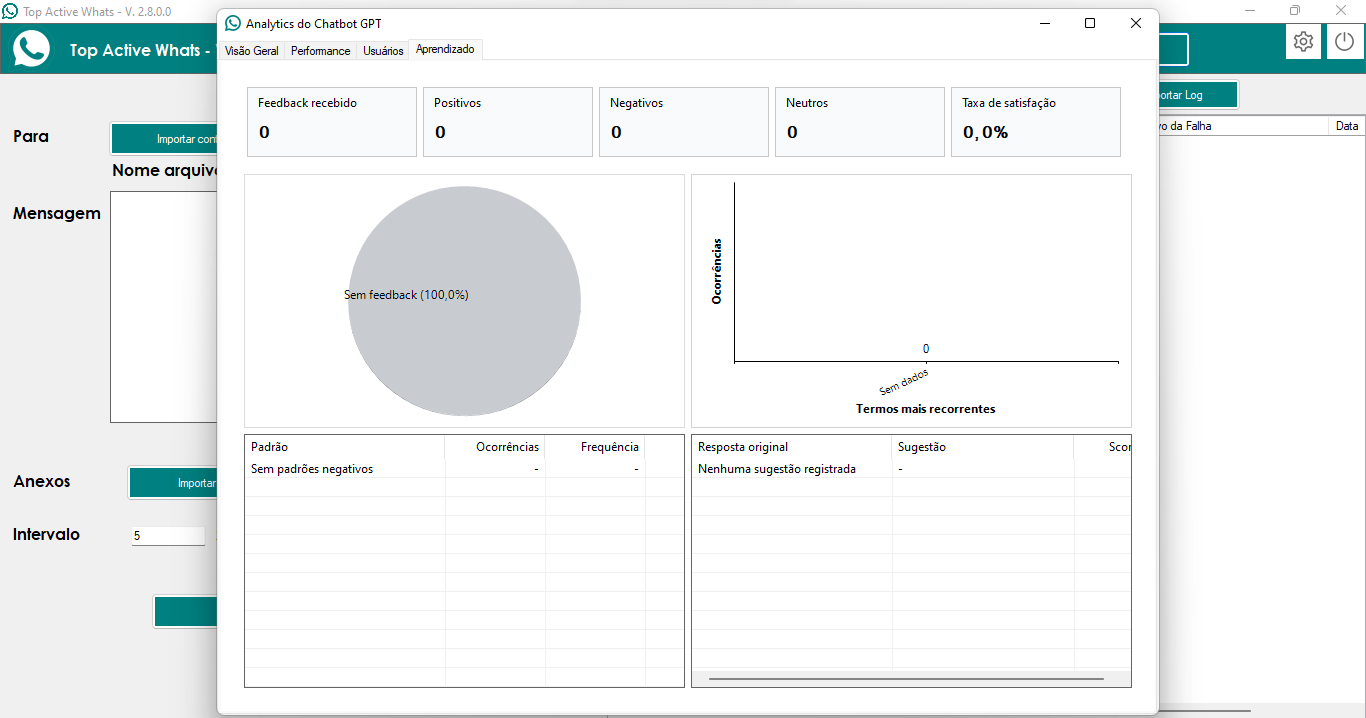
Aba Aprendizado – Feedbacks e evolução do bot
🧠 Cartões superiores
Feedback recebido, positivos, negativos, neutros e satisfação com espaçamento otimizado
🥧 Distribuição de Feedback
📊 Padrões Negativos
Gráfico de colunas vermelho (Top palavras críticas)
ListView com Padrão / Ocorrências / Frequência (fallback “Sem padrões negativos”)
🗃️ Sugestões de Melhoria
ListView “Resposta original / Resposta melhorada / Score”
Mantém dados alinhados com o pipeline do Chatbot Analytics Service
Outros diferenciais técnicos
📦 Reset e Export
Exportação Excel captura imagens dos gráficos e gera planilha formatada
🧼 Manutenção do Designer
Painéis desenhados e exclusão de painéis obsoletos
📑 Tooltips abrangentes
Interface segura para novas equipes entenderem rapidamente o painel
🔄 Timer e atualizações
Timer de 30s renova métricas automaticamente
Atualização manual via botão “Atualizar”
Update: November 04, 2025.
Key Features of Audio Transcription:
🎤 Automatic Audio Capture
• MutationObserver system monitors WhatsApp Web in real time
• Instant detection of new audio without relying on polling
• Multiple download methods for maximum reliability
• Intelligent caching prevents duplicate processing
🤖 Transcription with Whisper API
• Uses the official Whisper API from OpenAI for accurate transcription
• Optimized support for Brazilian Portuguese
• High accuracy rate even with noise and accents
• Cloud processing without consuming local resources
🔄 Complete and Automatic Processing
• Receives audio → Automatically downloads → Transcribes with AI → Sends to ChatGPT → Generates contextualized response → Responds on WhatsApp
• Automatic cleaning of temporary files after processing
• Detailed logs of each step for monitoring
• Intelligent retry system to ensure success
📁 Intelligent File Management
• Saving to Windows temporary folder (C:\Windows\Temp)
• Automatic conversion between formats (OGG, MP3, (WAV)
• Cleans up old audio files to free up space
• Message ID caching system to avoid reprocessing
🎯 Advanced Network Interception
• Enables DevTools Protocol for capturing requests
• Monitors WhatsApp Web audio downloads
• Direct capture of blobs and ArrayBuffers
• Automatic conversion to compatible formats
💡 Practical Use Cases
• Client sends audio with a question: bot transcribes and responds automatically
• Voice requests: system processes and confirms details
• 24/7 support: audio files are processed even outside business hours
• Accessibility: users prefer audio but receive accurate text responses
📱 Before and After
• Before: Received audio messages were ignored by the ChatGPT Bot
• Now: Client sends audio → System automatically captures → Whisper API transcribes → ChatGPT analyzes the text → Bot responds based on the audio content → Complete and automatic interaction
Update: November 01, 2025.
Main Features of Intelligent Image Analysis:
📸 Automatic Image Processing
• ChatGPT automatically receives, downloads, and processes any sent image
• Intelligent download system with multiple capture methods
• Automatic image detection regardless of format (JPEG, PNG, etc.)
• Instant processing without the need for manual intervention
🤖 Analysis with Artificial Intelligence
• Uses ChatGPT Vision to interpret the visual content of images
• Contextualized responses based on the configured prompt
• Advanced understanding of objects, text, people, and context in images
• Seamless integration with the bot's conversational system
⚡ Complete and Automatic System
• Download → Analysis → Response → Automatic cleaning of temporary files
• Detailed logs of each processing step
• Intelligent memory and storage management
• Multiple download attempts to ensure success
🎯 Conversion and Compatibility
• Support for base64, Blob, ArrayBuffer, and Uint8Array images
• Automatic conversion between formats for maximum compatibility
• Special handling for different MIME types image
• Robust system with fallbacks to ensure functionality
💡 Practical Use Cases
• Customer sends product photo: bot identifies and responds with relevant information
• Visual proof: bot analyzes and confirms receipt (if configured)
• Questions with images: bot interprets and offers contextualized support
• Catalogs and menus: bot identifies items and assists in selection
📱 Before and After
• Before: Received images did not generate an automatic response from ChatGPT
• Now: Customer sends image → System downloads automatically → ChatGPT Vision analyzes → Bot responds based on visual content → Complete and intelligent interaction
Key Features of GPT-4o Models:
🚀 GPT-4o - Maximum Performance
• OpenAI's most advanced and powerful model available
• Highly complex responses with in-depth reasoning
• Ideal for applications requiring detailed analysis and precision
• Superior ability to understand context and nuances
⚡ GPT-4o-mini - Speed and Economy
• Optimized version for fast and efficient responses
• Reduced cost while maintaining high-quality responses
• Perfect for high volumes of simultaneous applications
• Ideal balance between performance and economy
🎯 Total Flexibility of Choice
• Select the ideal model according to your specific needs
• Easy switching between models without the need for Reconfiguration
• Adapt the model to the type of conversation and complexity of the service
• System prepared for future OpenAI models
💰 Cost Optimization
• Use GPT-4o-mini for simple services and save resources
• Reserve GPT-4o for situations that demand maximum intelligence
Update: October 28, 2025.
Main Features of the Permanent Blocking System:
🚫 Smart Permanent Blocking
• Define keywords that will cause ChatGPT to stop completely
• Permanent blocking system - once the keyword is detected, the bot stops forever
• Precise control over the bot's behavior in specific situations
• Intuitive interface with a checkbox to enable/disable permanent blocking
🎯 Simple and Efficient Configuration
• Enter words or phrases separated by commas in the configuration field
• Case-insensitive system - works case-insensitive
• Automatic real-time scanning of all incoming messages
• "Save" and "Clear" buttons to easily manage settings
⚡ Total Business Control
• Avoid automatic sales replies when you don't want them
• Permanent control over when the bot should or shouldn't interact
• Protection against inappropriate responses in sensitive situations
• Instant blocking system that persists until manual reactivation
🔧 Professional Functionality
• Completely offline system - does not depend on an external connection
• Seamless integration with the existing ChatGPT system
• Detailed logs for monitoring and debugging the blocking status
• "Reactivate Bot" button for manual control when necessary
🔄 Manual Control with Reactivation
• "Reactivate Bot" button in the Settings tab to resume normal operation
• Full control over when to reactivate the bot after blocking
• Instant reactivation system without needing to restart the application
• Clear interface showing the bot's current status (blocked/active)
💡 Practical Use Cases
• Block words like "order," "buy," "price" when you don't want commercial responses
• Avoid automatic responses in situations that require human attention
• Control the bot's behavior at different times or in different situations
• Maintain consistency in your company's communication
📱 Before and After
• Before: ChatGPT automatically responded to all messages, even when it wasn't appropriate
• Now: Configure keywords → Check the permanent block checkbox → ChatGPT automatically detects → Stop responding forever → Use "Reactivate Bot" when needed
Update: October 27, 2025.
Main Features of the Blocking System:
🚫 Total Response Control
• Define keywords that will make ChatGPT stop responding
• Silent blocking system - the bot simply doesn't respond at all
• Precise control over the bot's behavior in specific situations
• Intuitive interface for managing blocked keywords
🎯 Simple and Efficient Configuration
• Enter words or phrases separated by commas in the configuration field
• Case-insensitive system - works regardless of Case sensitive
• Automatic real-time verification of all incoming messages
• "Save" and "Clear" buttons to easily manage settings
⚡ Business Security and Control
• Prevent unwanted automatic sales replies
• Full control over when the bot should or shouldn't interact
• Protection against inappropriate responses in sensitive situations
• Instant blocking system without delays or errors
🔧 Professional Functionality
• Completely offline system - does not depend on an external connection
• Seamless integration with the existing GPT Chatbot
• Detailed logs for monitoring and debugging
• Compatible with all application features
💡 Practical Use Cases
• Block words like "buy", "price," "sale," when you don't want commercial responses.
• Avoid automatic responses in situations that require human attention.
• Control the bot's behavior at different times or in different situations.
• Maintain consistency in your company's communication.
📱 Before and After
• Before: ChatGPT automatically responded to all messages, even when it wasn't appropriate.
• Now: Configure keywords → ChatGPT automatically detects → Stops responding completely → Full control over behavior.
Update: October 25, 2025.
Key Features of the Emoji Picker:
😊 Integrated Visual Interface
• Complete emoji picker within the app itself
• No more opening external websites or browsers
• View all available emojis in organized categories
• Intuitive and easy-to-use interface with just one click
🎯 Quick and Simple Selection
• Click the emoji button to instantly open the picker
• Browse emoji categories (faces, objects, nature, etc.)
• Click on the desired emoji to automatically insert it into the message
• Full support for all modern Unicode emojis
⚡ Productivity Gain
• Saves time by eliminating the need to copy and paste from external websites
• Faster and more efficient workflow
• Inserts directly into the message text field
• Doesn't interrupt your work by opening browser tabs or windows
🔧 Modern and Reliable Functionality
• Completely offline system - doesn't depend on an internet connection for emojis
• Compatible with all in-app messaging features
• Works seamlessly with variables and custom messages
• Seamless integration with text fields on all screens
💡 Usage Tips
• Use emojis to make your messages more expressive and Friendly
• Combine emojis with personalized text for greater engagement
• Emojis significantly increase open and response rates
• Try different emojis for different types of campaigns
📱 Before and After
• Before: Clicked the button → Opened emojicopy.com in the browser → Searched for the emoji → Copied → Returned to the app → Pasted
• Now: Clicked the button → Selected the emoji visually → Done! Emoji inserted automatically
Update: October 23, 2025.
Main Features of the Variation System:
🎯 Selection of 1 Message per Recipient
• The system selects and sends only ONE message from the messages created and selected
• Rotation algorithm ensures balanced distribution of messages
• Avoids sending multiple messages to the same recipient
• Significantly reduces spam detection by WhatsApp
🔄 Automatic Content Variation
• Simple activation via the "Vary" checkbox
• Works for individual contacts, groups, and group members
• Intelligent system that varies content without manual intervention
• Detailed logs show which message was selected for each recipient
🛡️ Anti-Blocking Protection
• Dramatically reduces the chance of spam blocking
• Varied messages feel more natural and human
• Ideal for marketing campaigns that require volume
• Maintains sending effectiveness without compromising the account
📊 Control and Monitoring
• Log system shows exactly which message was sent to each contact
• Clear visual control of the active variation mode
• Message distribution statistics
• Intuitive interface to activate/deactivate the functionality
💡 Optimized Usage Tips
• Create multiple messages with the same meaning but different wording
• Ideal for follow-up campaigns and Remarketing
• Perfect for avoiding duplicate content detection
• Significantly increases delivery and engagement rates
Update: September 23, 2025.
Main Features Implemented:
🤖 Artificial Intelligence System
• Integration with OpenAI GPT-3.5-turbo for smart replies
• Custom configuration of API Key and AI models
• Control of response creativity (formal or creative)
• Support for multiple models: GPT-3.5, GPT-4, and turbo versions
⚡ Smart Message Automation
• Automatic reply to messages received on WhatsApp
• ON/OFF system with clear visual control (green/red)
• Spam prevention - doesn't reply to the same message twice
• Speed control to avoid system overload
🧠 Advanced Memory System
• Configurable conversation history (up to 13 messages)
• Bot remembers the context of previous conversations
• Customizable prompts via text file
• User information automatically included
⚙️ Professional Settings
• Complete interface to configure the OpenAI API
• Token control per response (default: 233)
• Custom URLs for custom endpoints
• Settings automatically saved in JSON
📱 New Group Extraction Interface
• Completely new WhatsApp group and member extraction system
• Dedicated buttons to import groups and members separately
• More intuitive interface and optimized import process
• Greater control over the contact extraction and organization process
🎯 Automatic and Intelligent Group Extraction
• Revolutionary new feature that automatically separates groups from individual contacts
• Eliminates the need to manually type group names
• System automatically identifies and extracts only the groups
• With a simple click on "Extract Groups," the entire process is automated
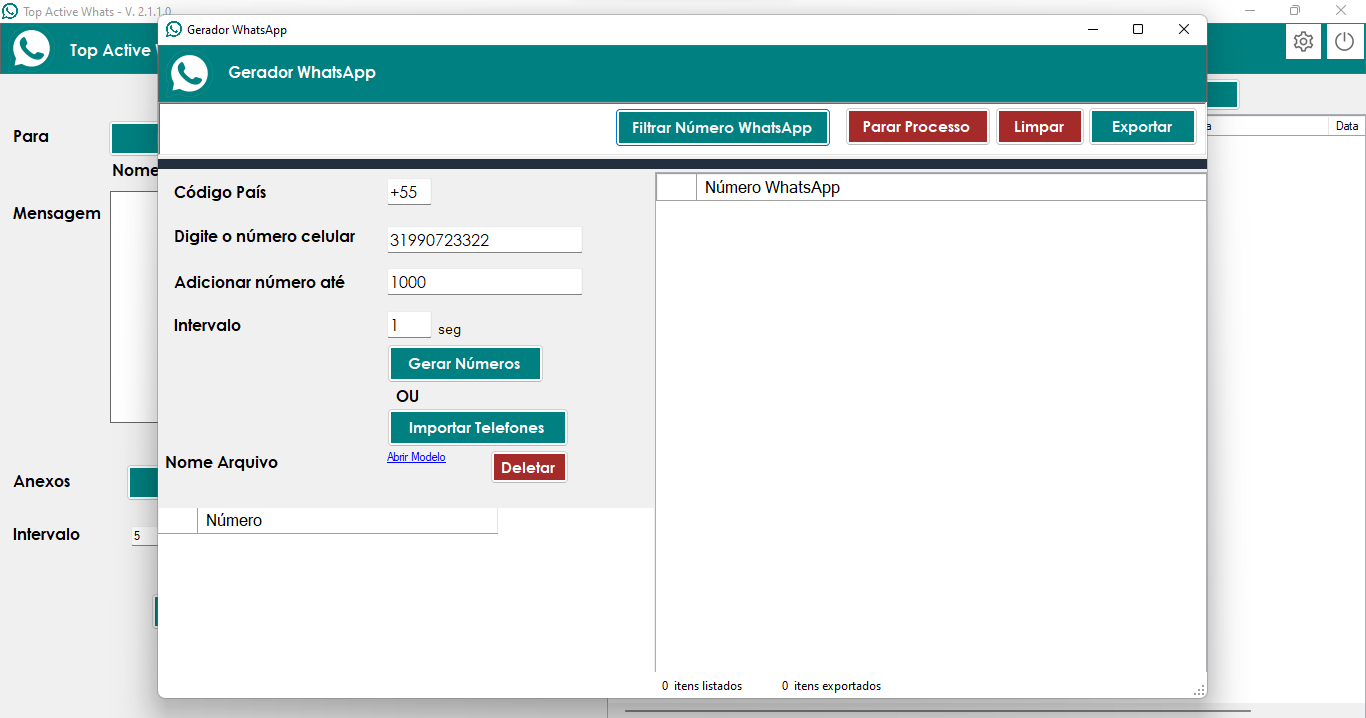
✅ Improved WhatsApp Generator/Validator
• Number validation system with operational fixes
• More stable interface and more reliable verification process
• Accurate validation of WhatsApp numbers
• Bug fixes for greater stability
Update: May 13, 2025.
Update: April 08, 2025.
Update: April 06, 2025.
Update: March 26, 2025.
Update: March 22, 2025.
Update: March 16, 2025.
Update: December 08, 2024.
Update: June 03, 2023.
Update: August 18, 2023.
Update: March 30, 2023.
Update: March 01, 2023.
Update: February 27, 2023
Update: December 25, 2022.
Update: May 02, 2021
Update: December 01, 2021.
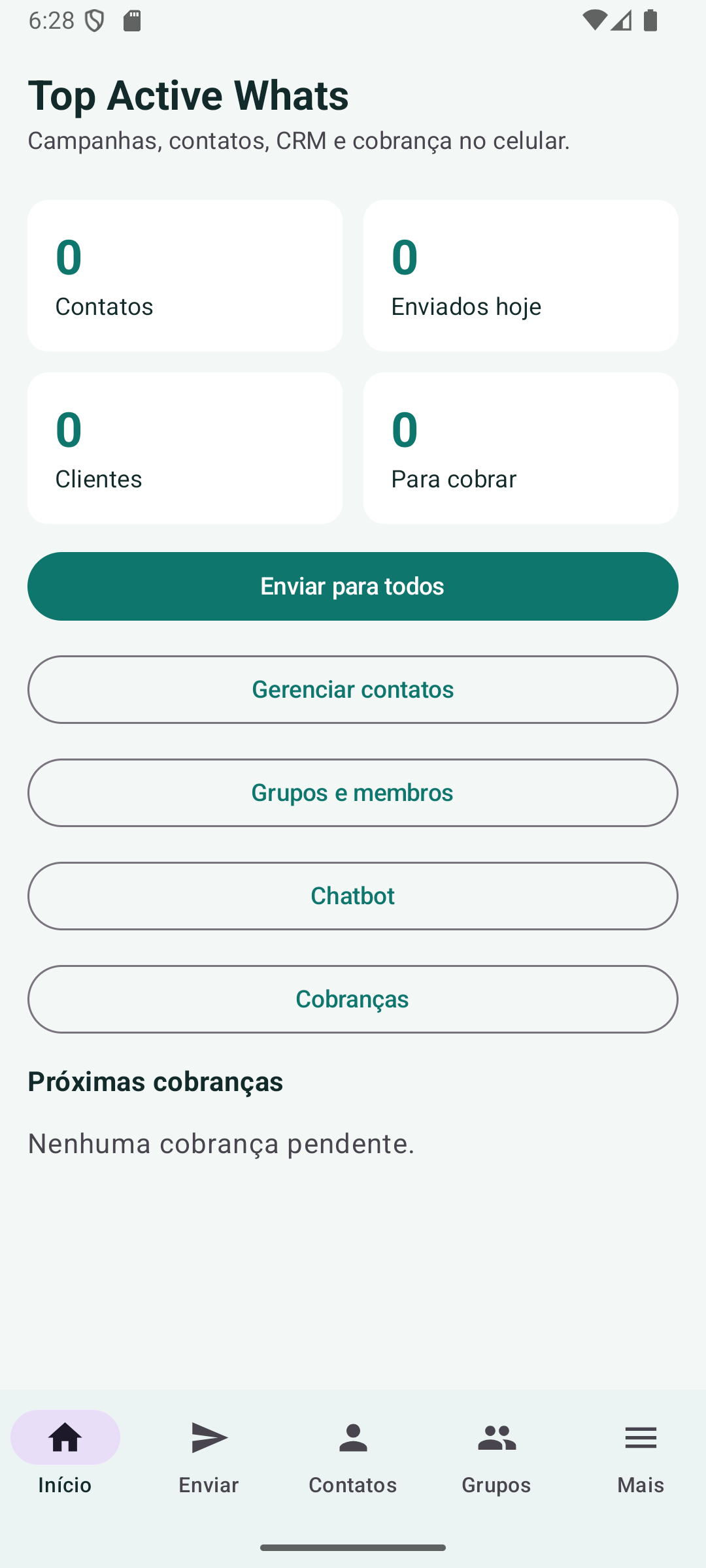
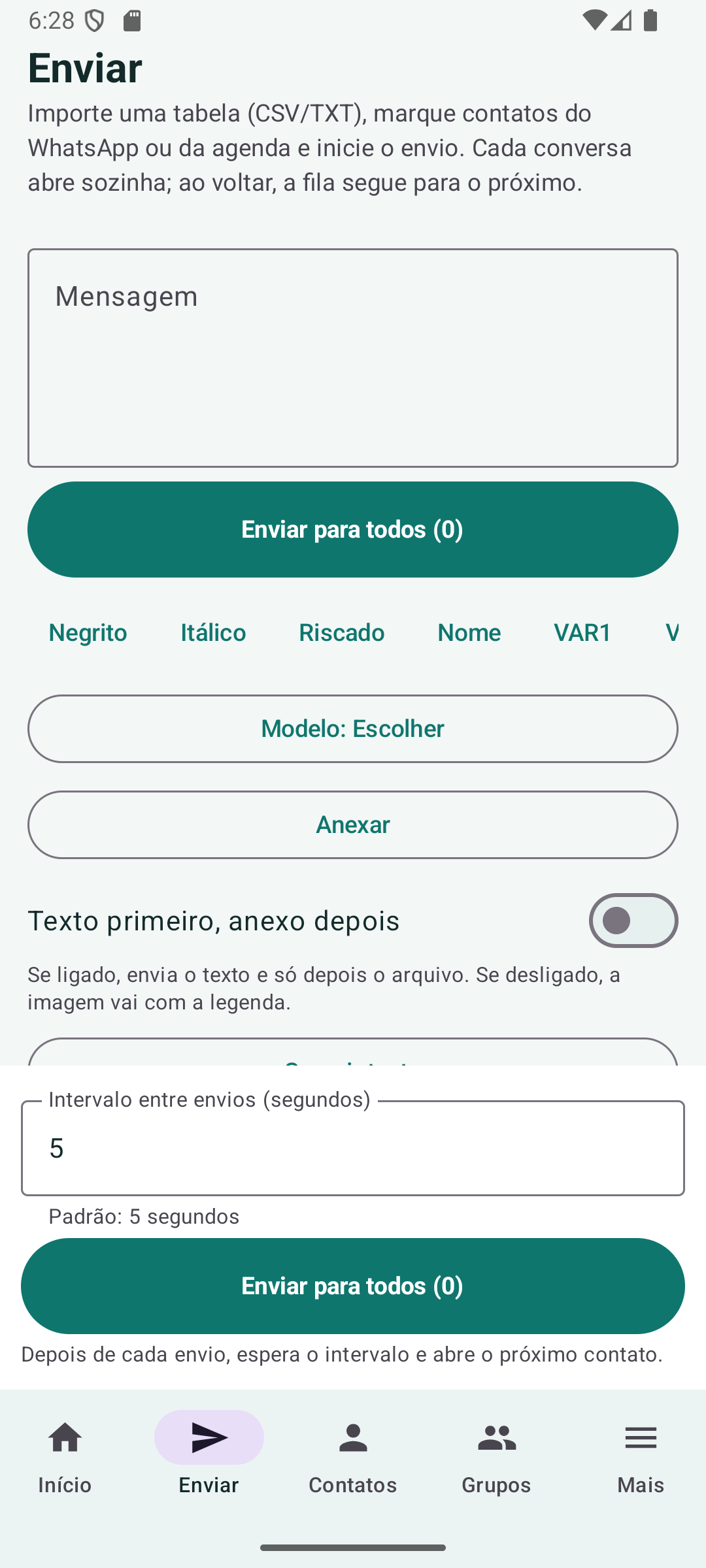
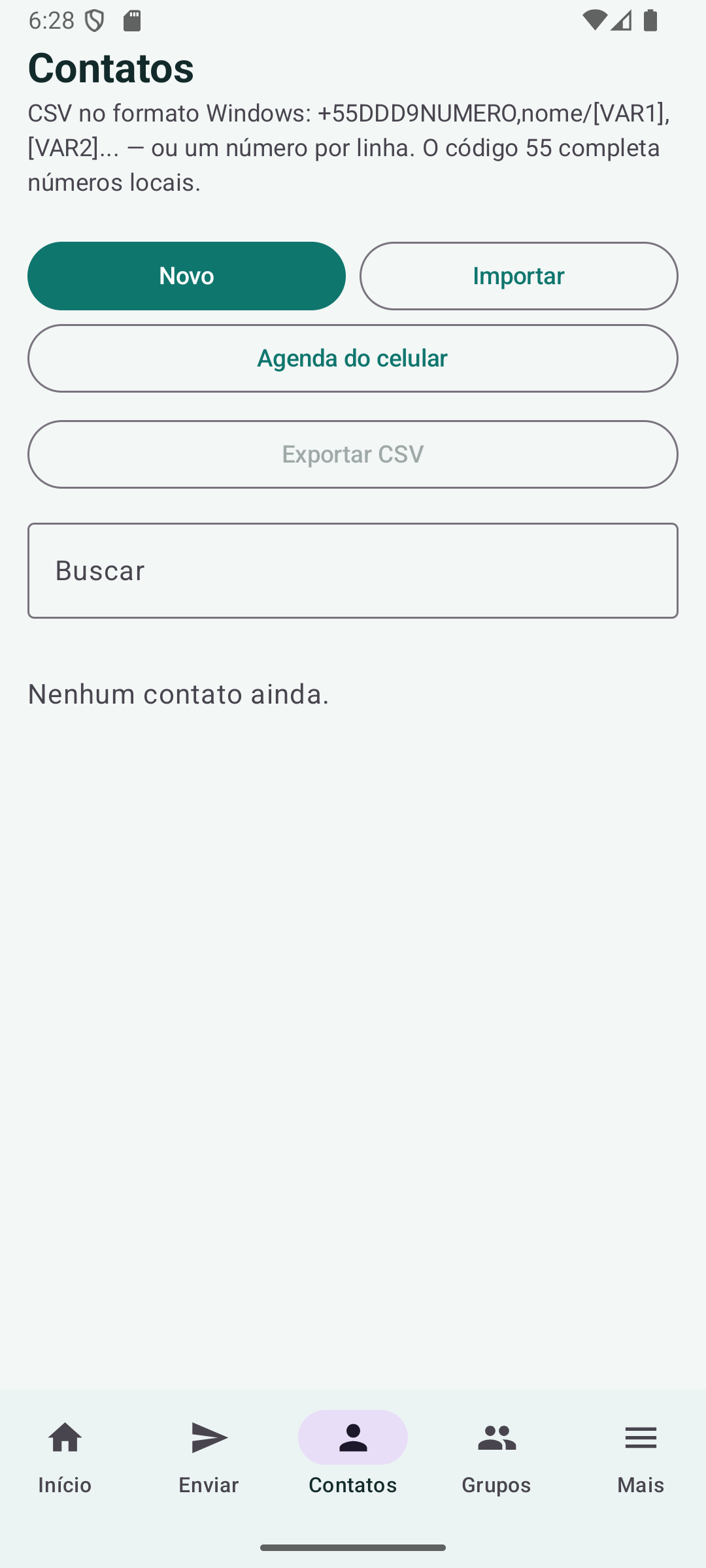
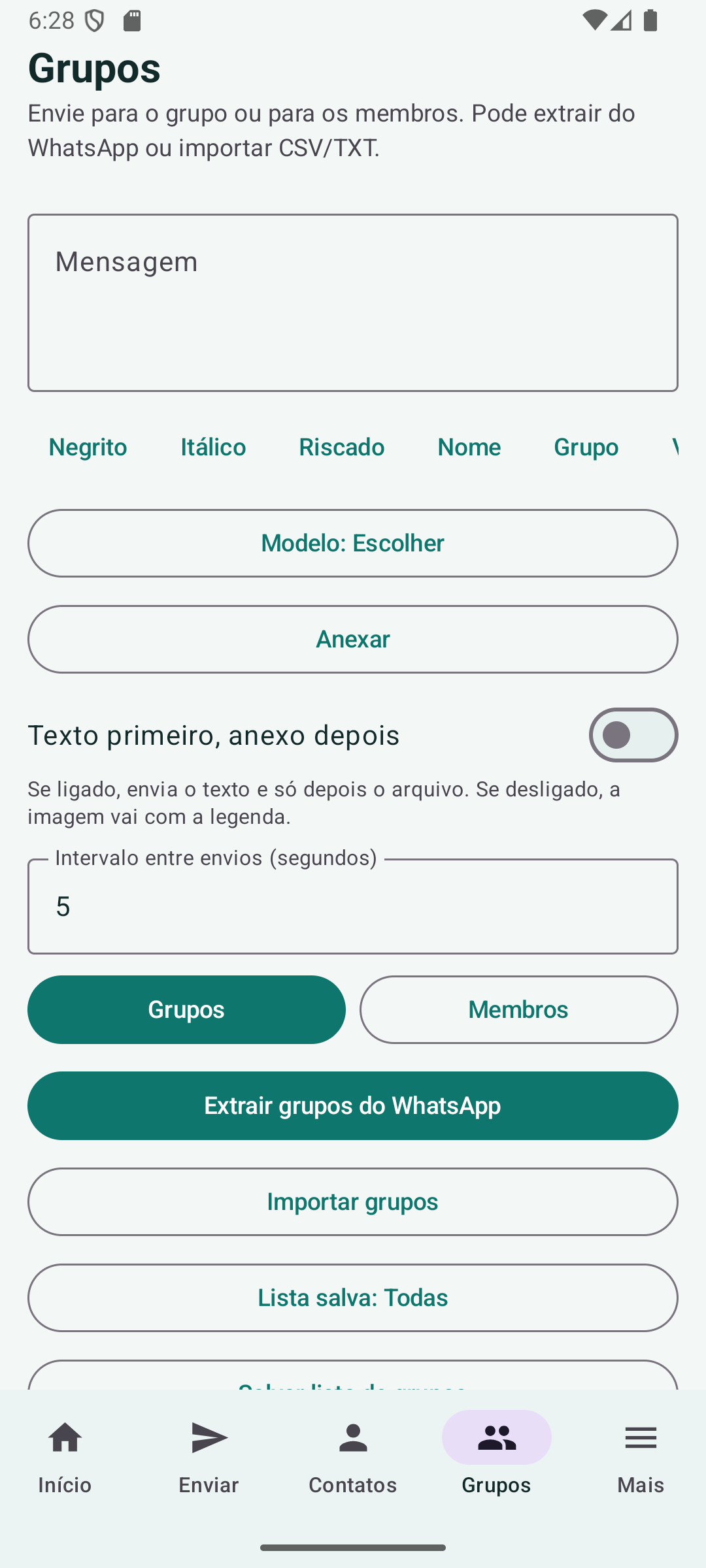
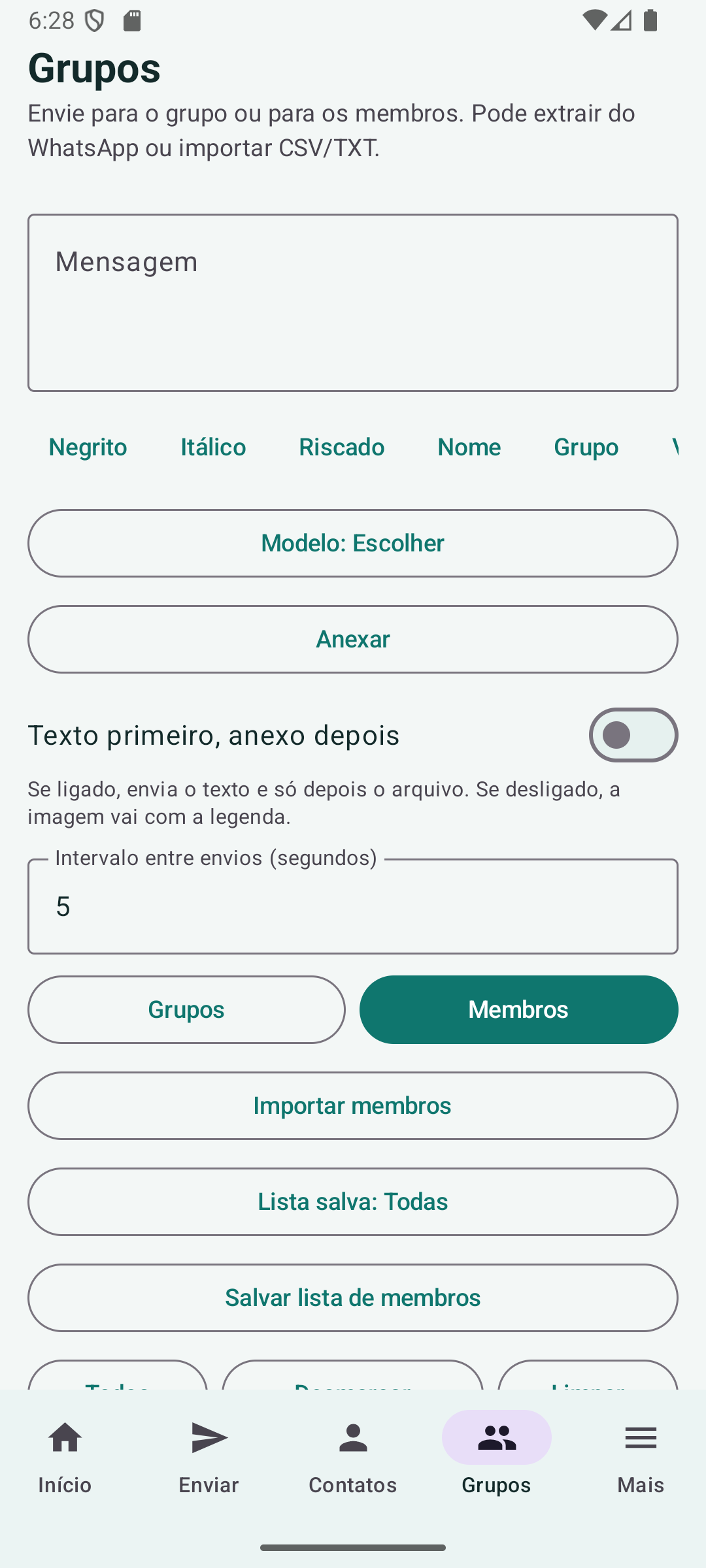
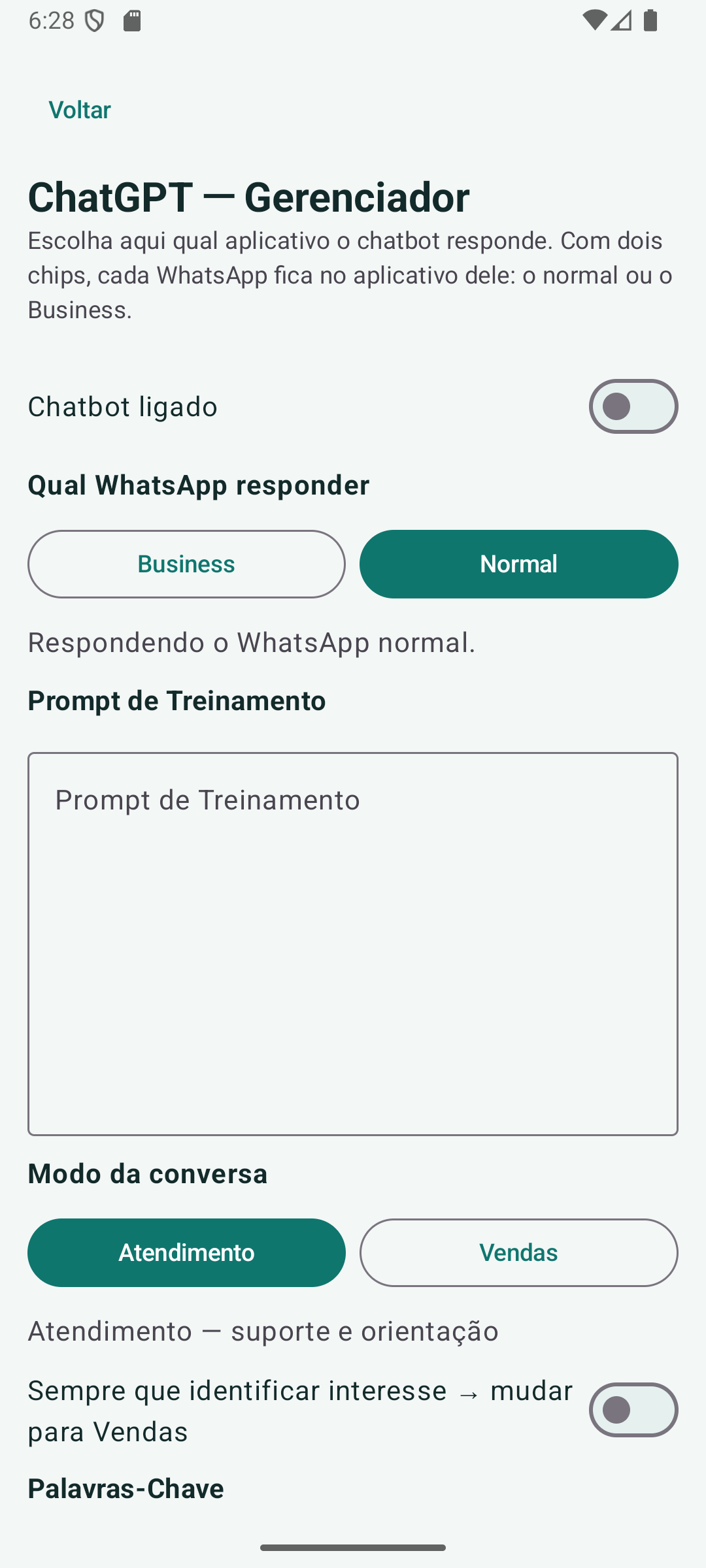
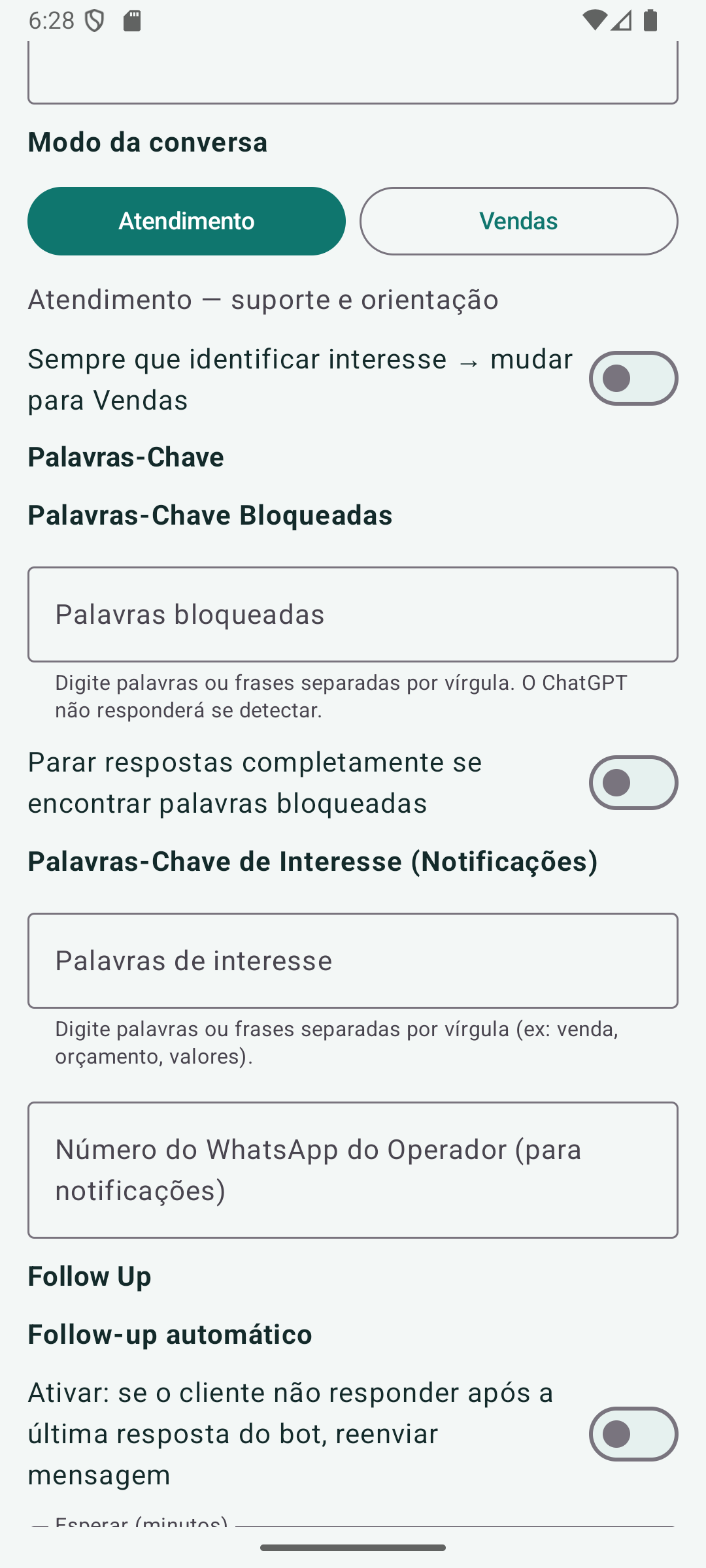
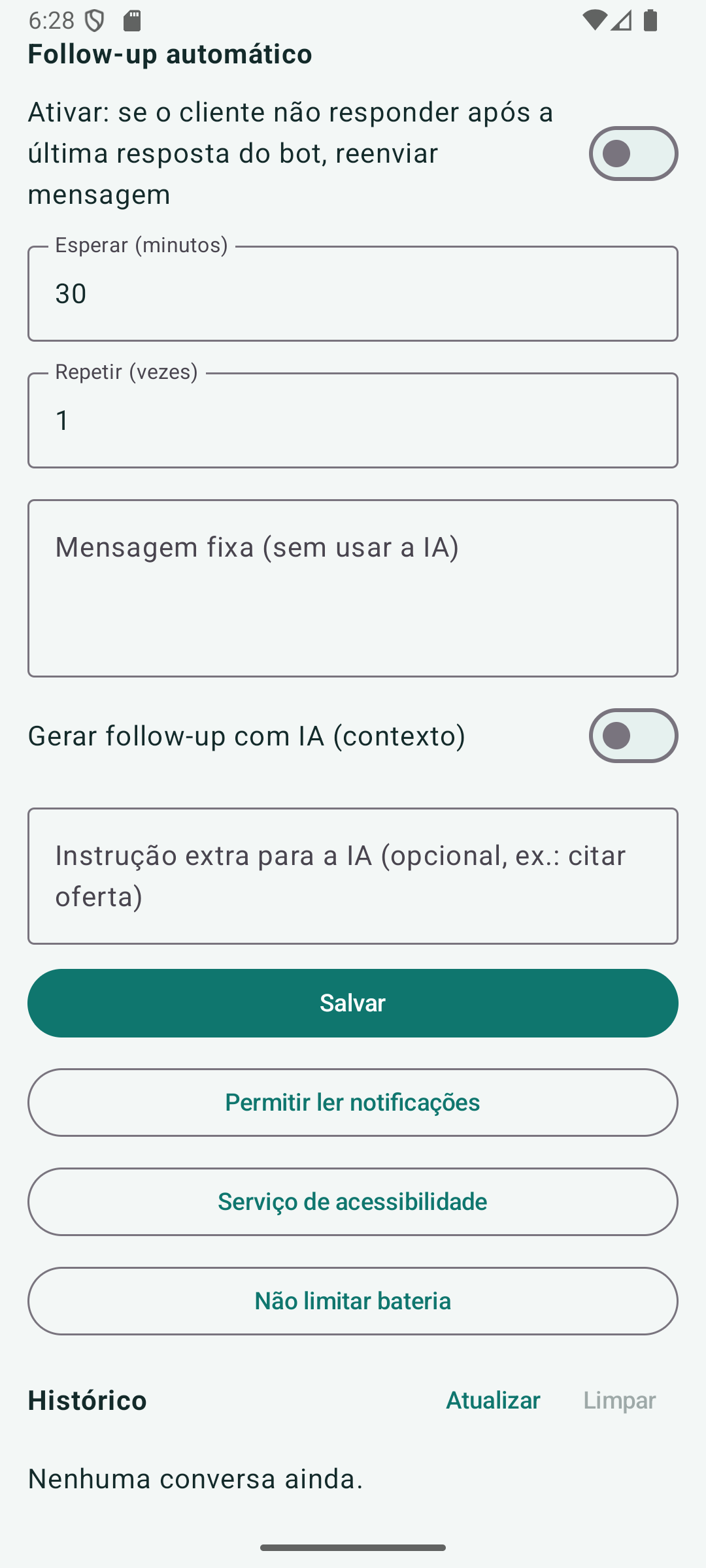
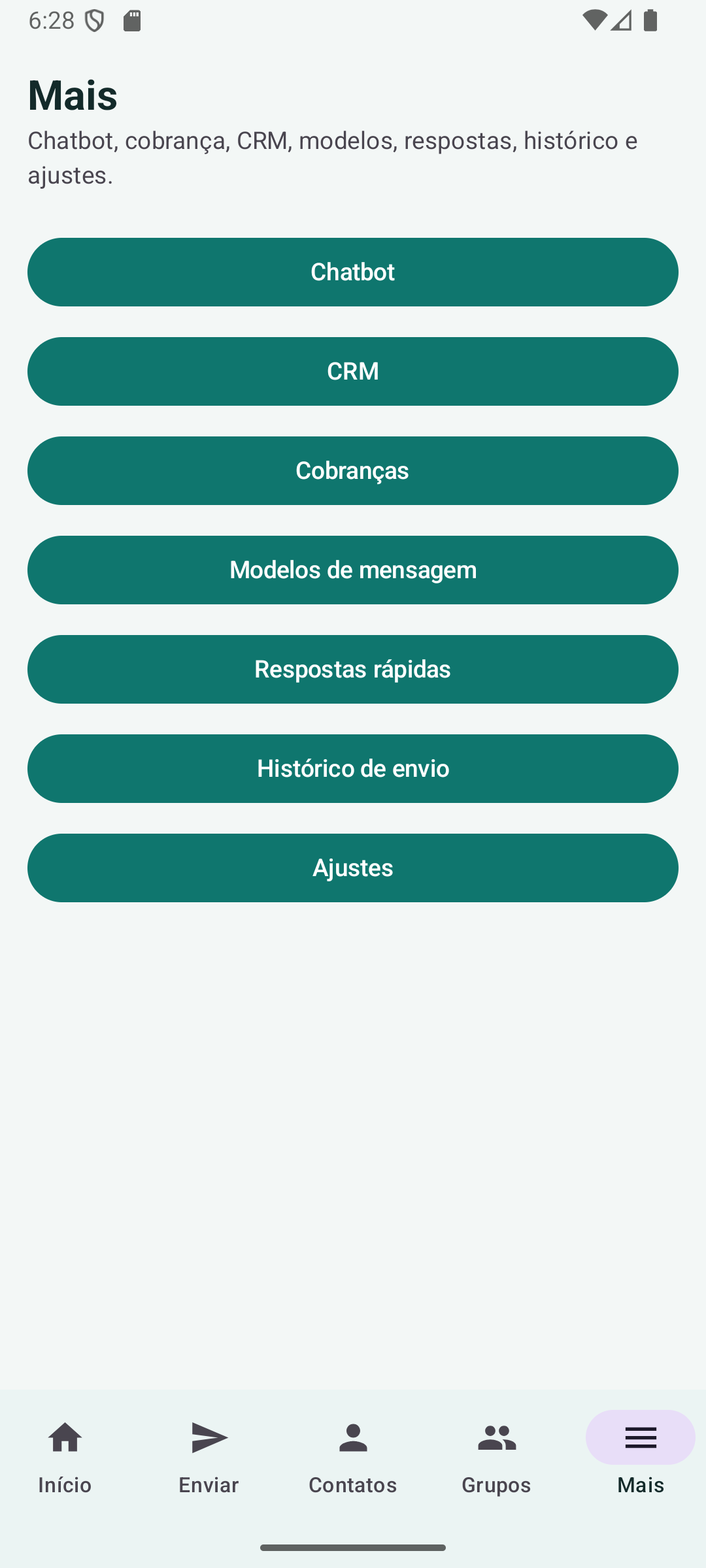
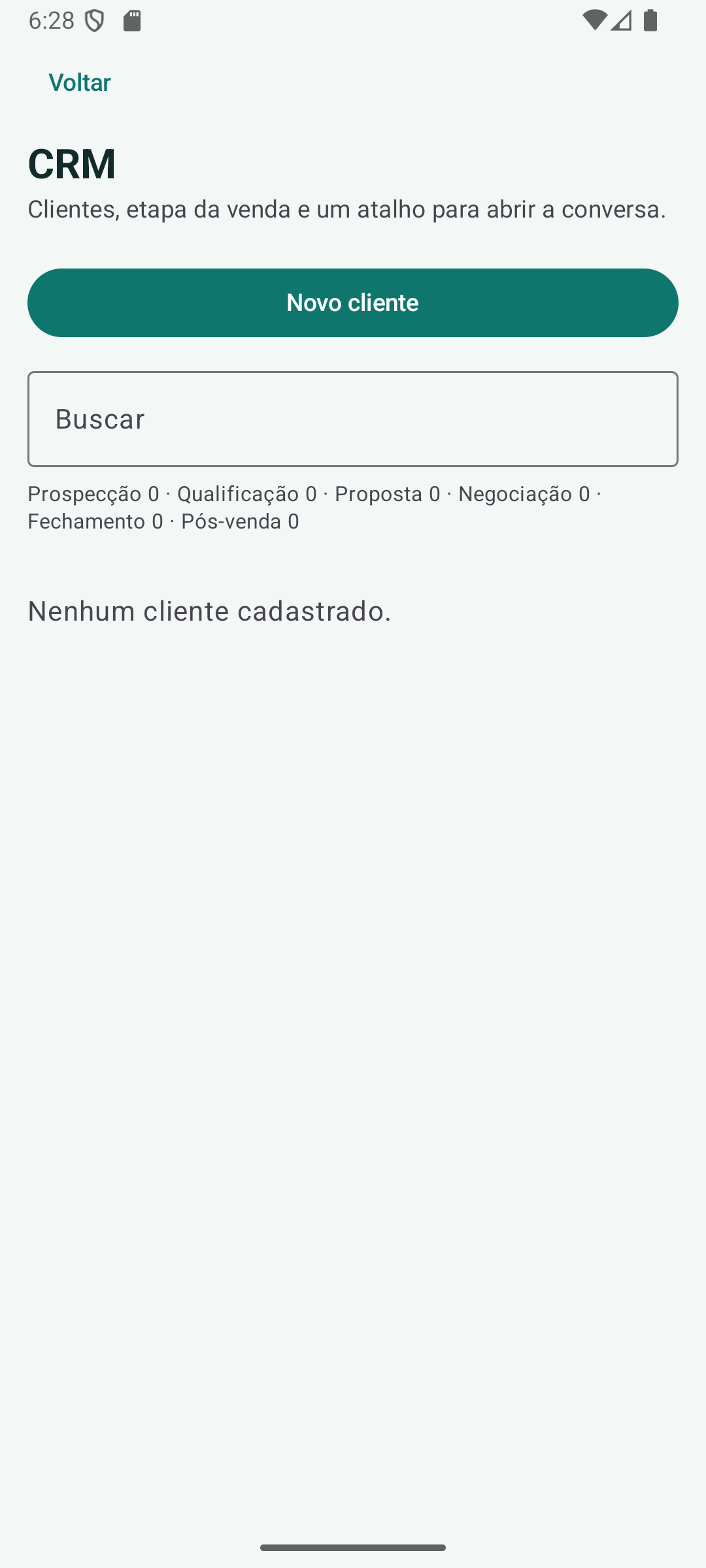
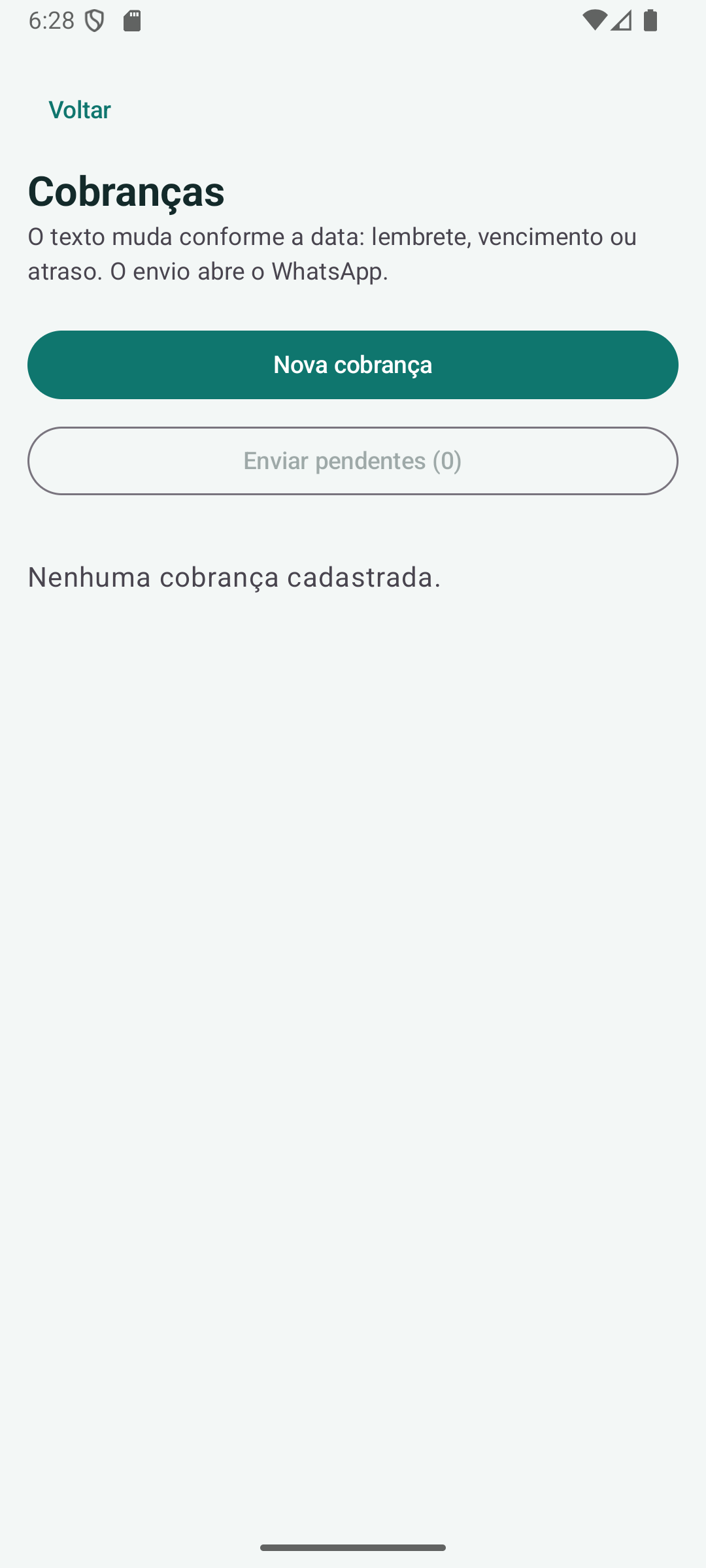
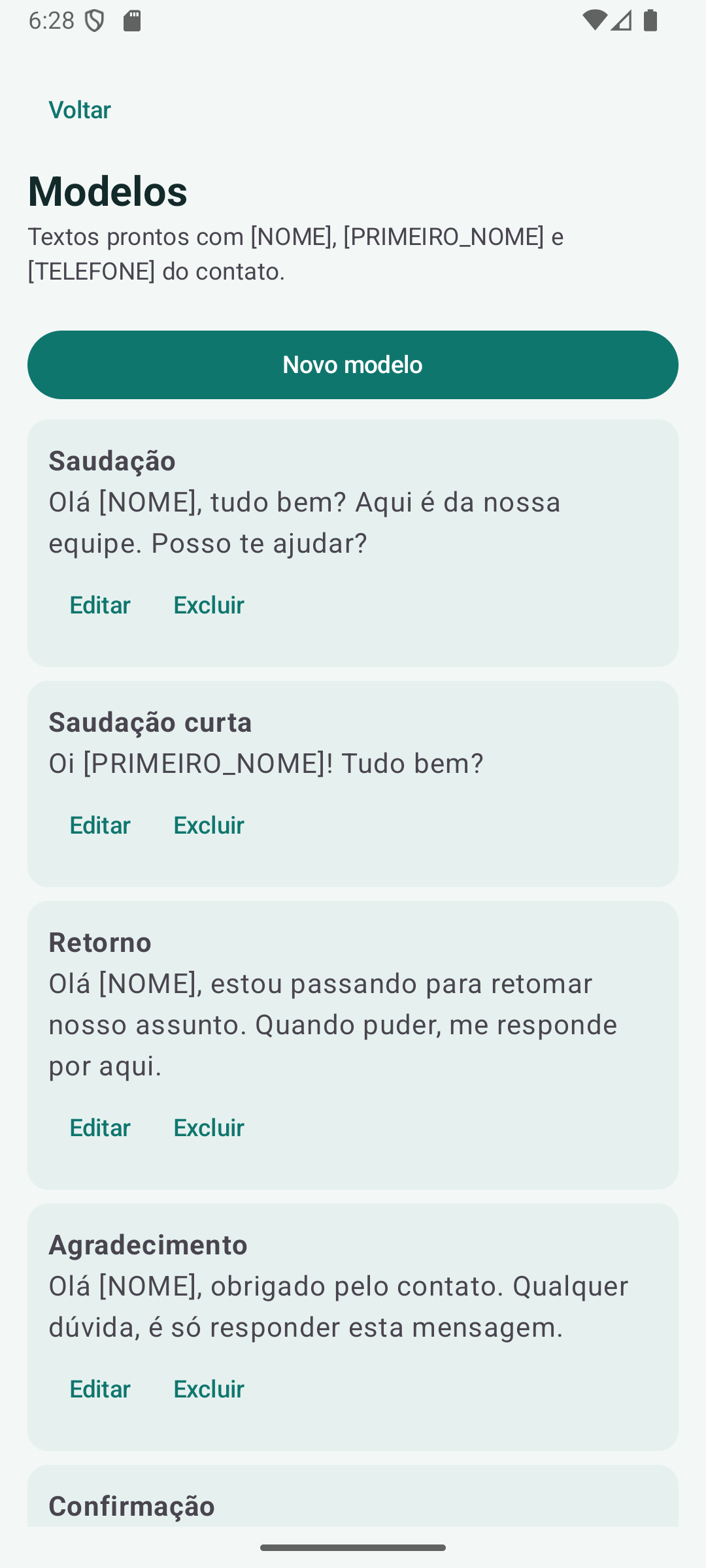
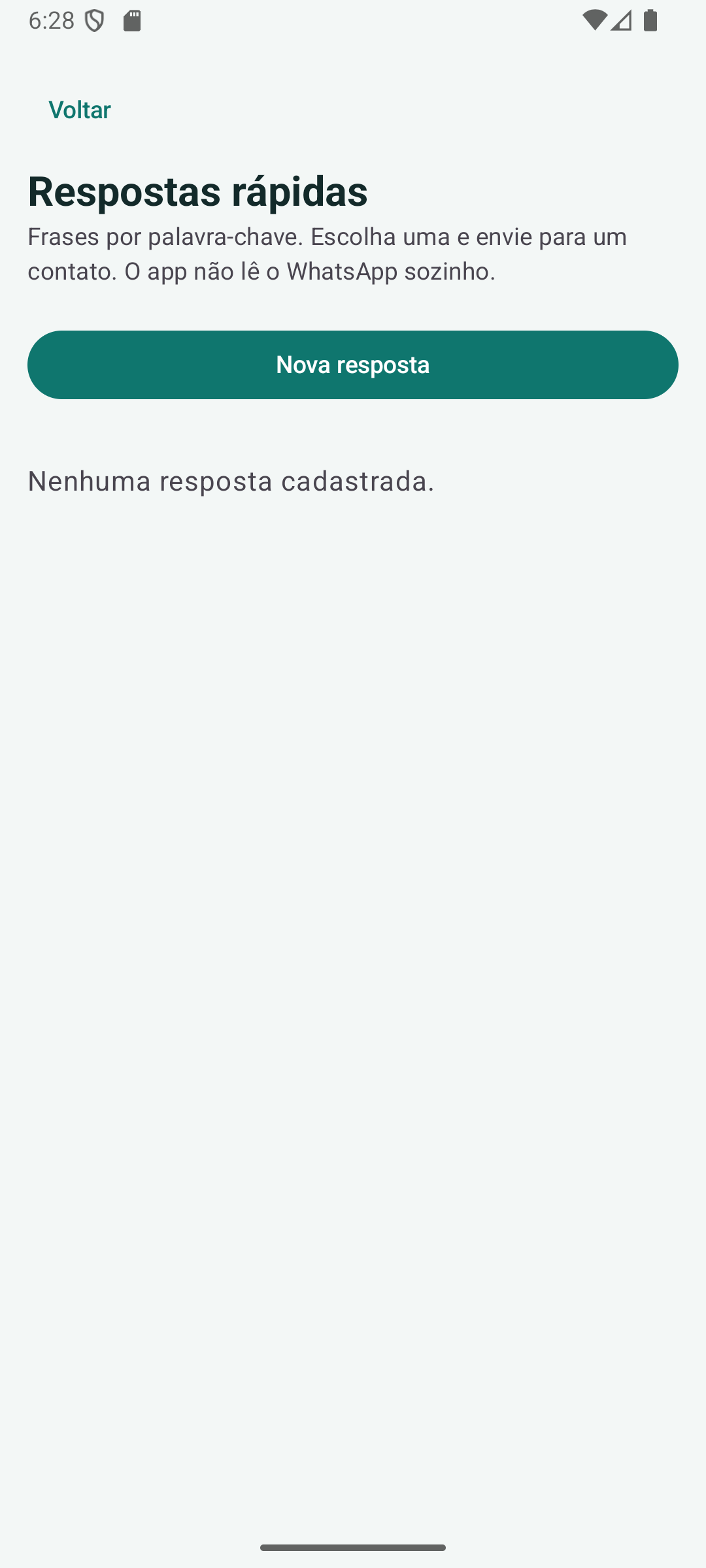
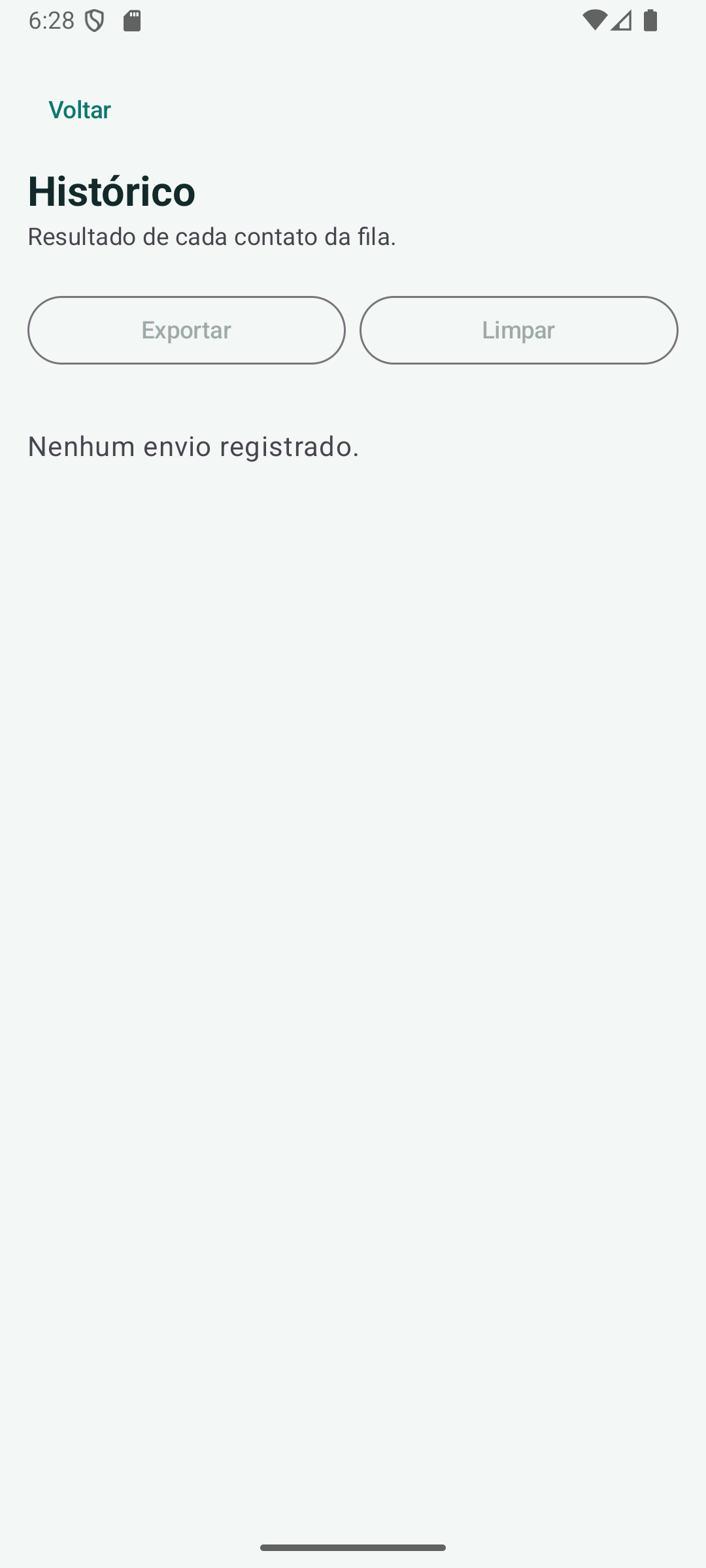
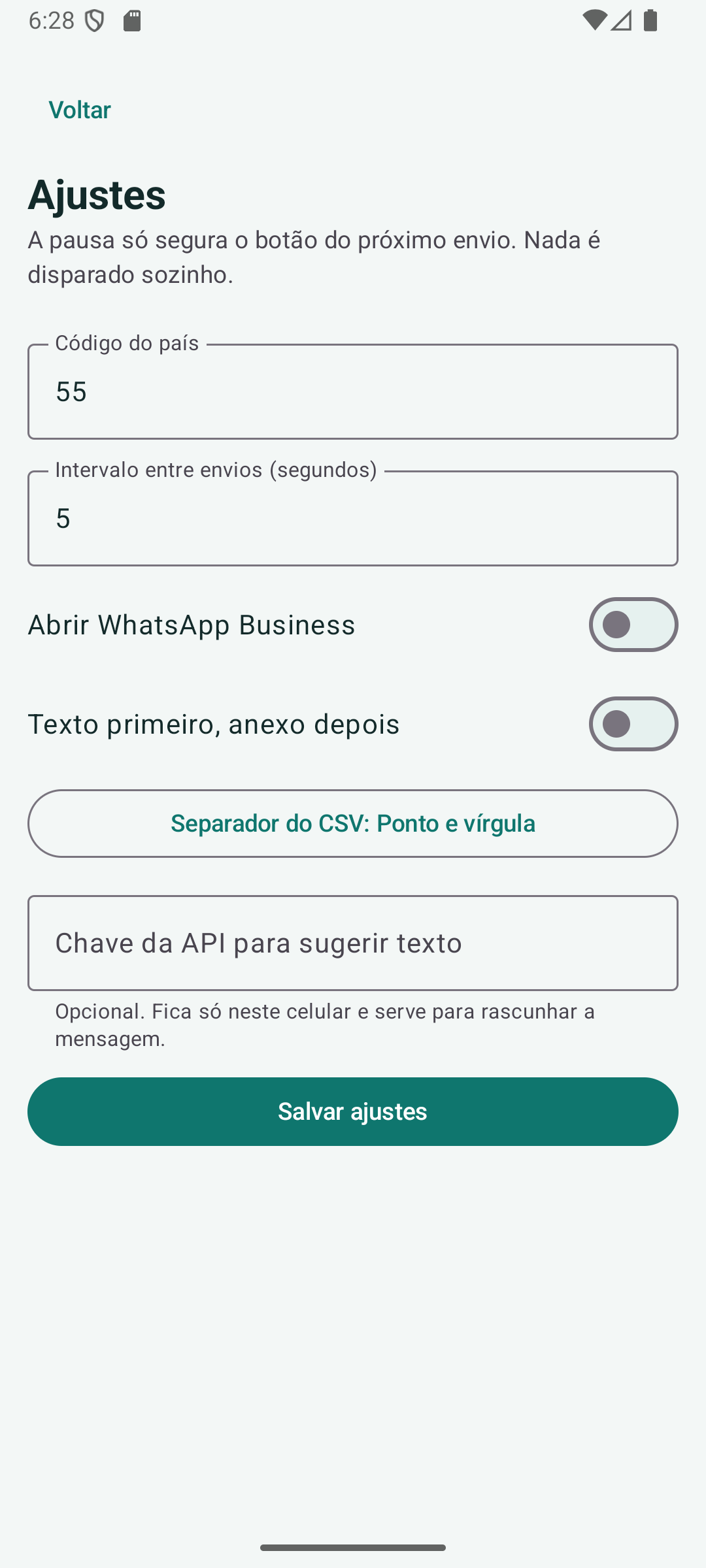
This tab is the Android app, V. 1.2, with vertical screenshots. The version history on the Windows tab is still the PC program.
Current version: Android V. 1.2 · October 12, 2026.
Top Active Whats Android builds campaigns on the phone: contacts, groups, members, message, attachment, interval and queue. Each chat opens in WhatsApp or WhatsApp Business. The app also keeps CRM, charges, templates, quick replies, the chatbot and the send history on this device.
Update: October 12, 2026.
Update: October 10, 2026.
Release: October 5, 2026.